RedM documentation
Murphy's Interact
Getting Started
Overview
Discover Murphy Interact for your RedM server.
Murphy Interact brings contextual 3D interactions to your RedM server. Players approach a location, object or character, display the available actions and select what they want to do.
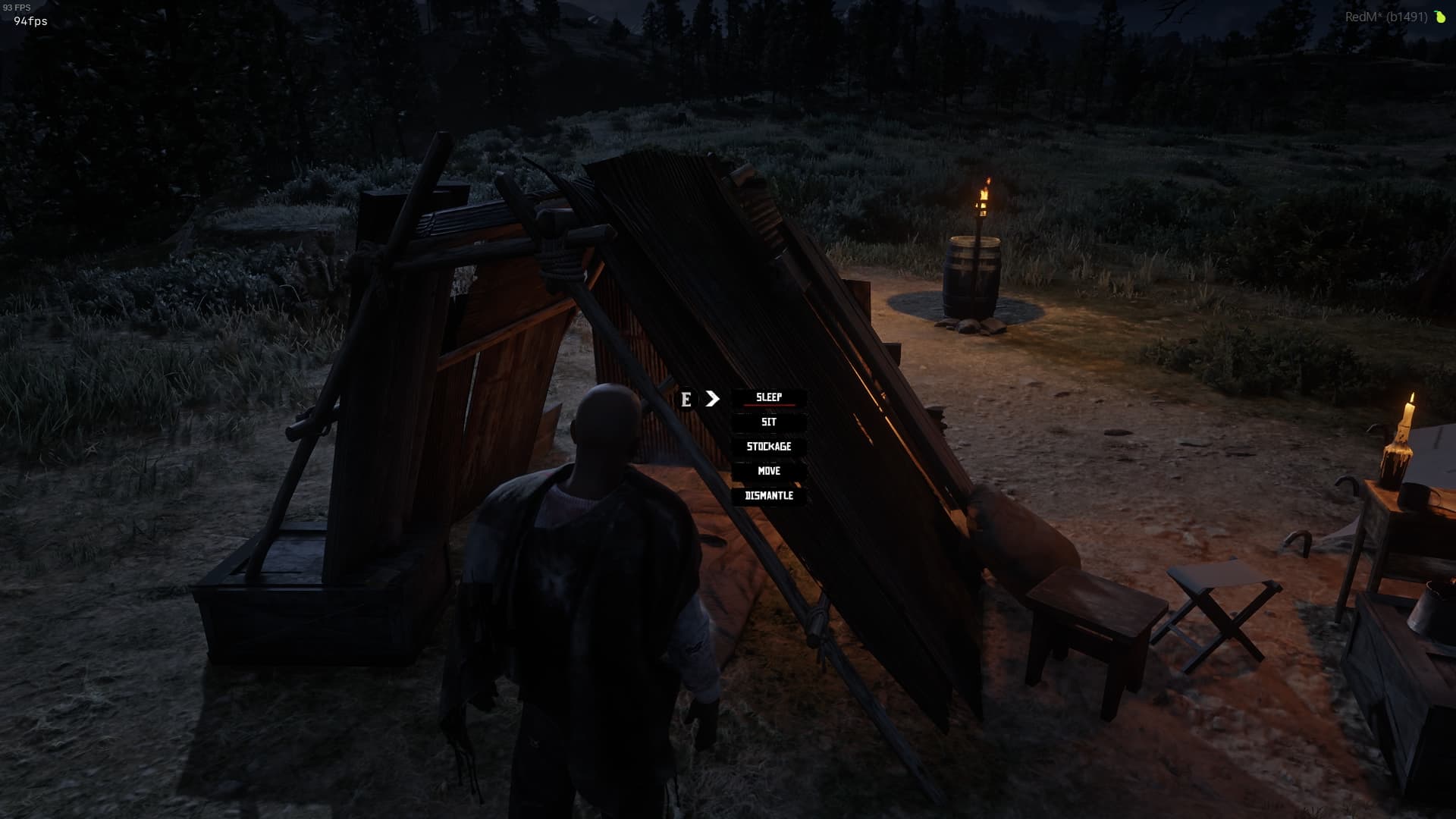
Contextual interactions
Actions appear beside the relevant target, keeping interaction menus connected to the game world. A selection marker identifies the highlighted action, while the available options remain visible in the same menu.
The resources using Murphy Interact provide their action labels and gameplay behavior. Once those resources are configured and started, players use Interact to access their actions.
Appearance and controls
Choose between the two included visual styles and adjust when interactions are displayed. See Configuration and styles and Controls and visibility.
Install Murphy Interact
Murphy Interact is a free RedM resource. The documented version is 1.1.5. Download it from the official Murphy Interact repository and follow Installation.
Watch the demonstration
Watch the official Interact demonstration, or view the screenshots and video.
Last updated: September 15, 2026