RedM / FiveM documentation
Murphy’s Platform
Monitoring and insights
Server Health
Monitor heartbeat, player count, latency, resources, uptime, and alert rules.
Server Health turns periodic resource snapshots into an operational view of availability and performance.
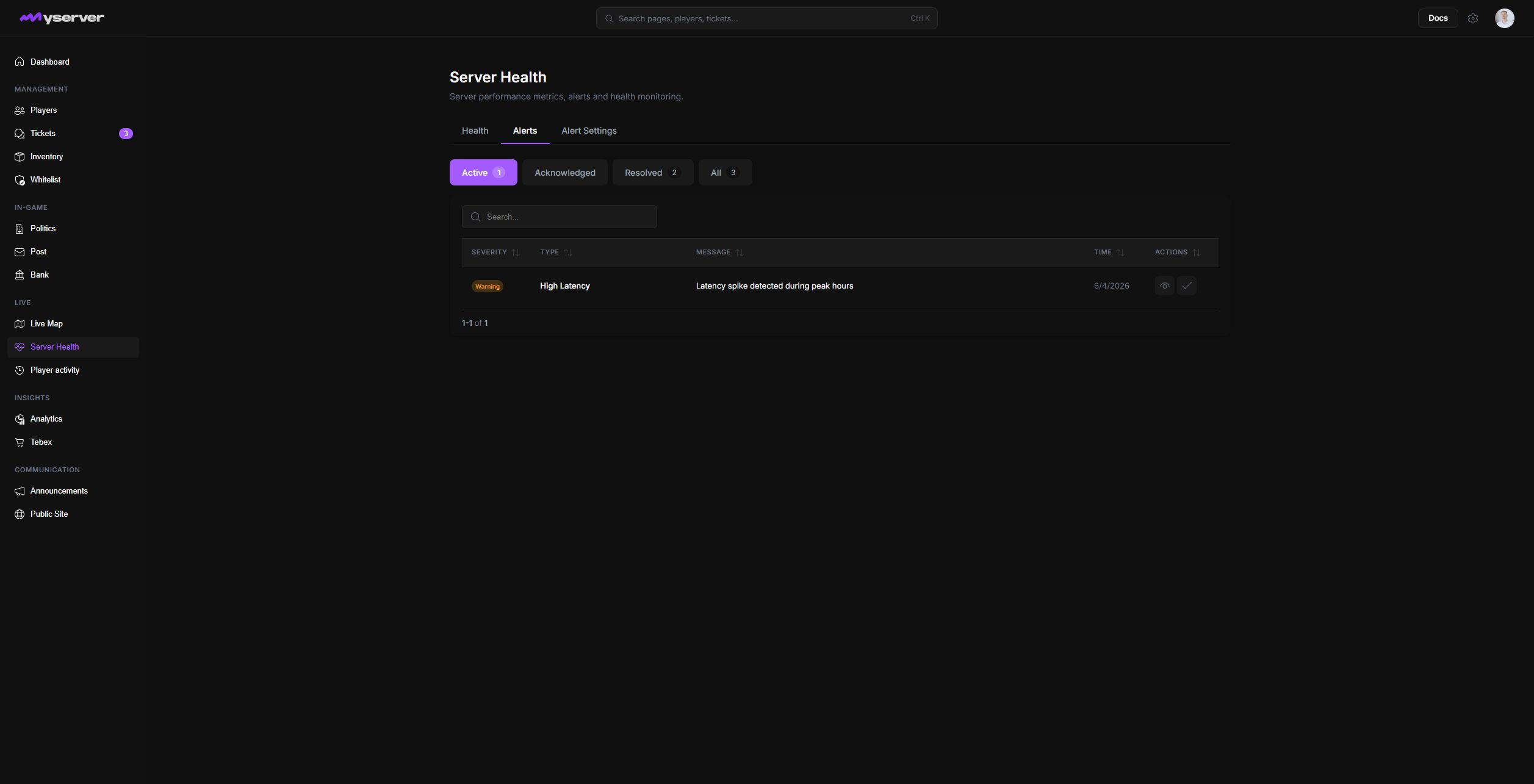
Monitor the current state and its alerts
Open Health for player count, average latency, running resources, uptime, last heartbeat, and historical charts. A blank chart means MyServer has no snapshots for that range; it is not evidence that the metric was zero.
Choose the time range that matches the incident. A narrow range is useful during an active outage, while a longer range reveals recurring patterns.
Open Alerts to switch between Active, Acknowledged, Resolved, and All. An alert row shows the rule, severity, observed value, threshold, and time. Acknowledge an alert when someone owns the investigation; resolve it only after the cause is handled.
Open Alert Settings to edit the rules. MyServer exposes Server Full, High Latency, Low Players, and Server Offline. Each rule can be enabled independently and, where relevant, has a threshold plus Discord notification and destination-channel settings.
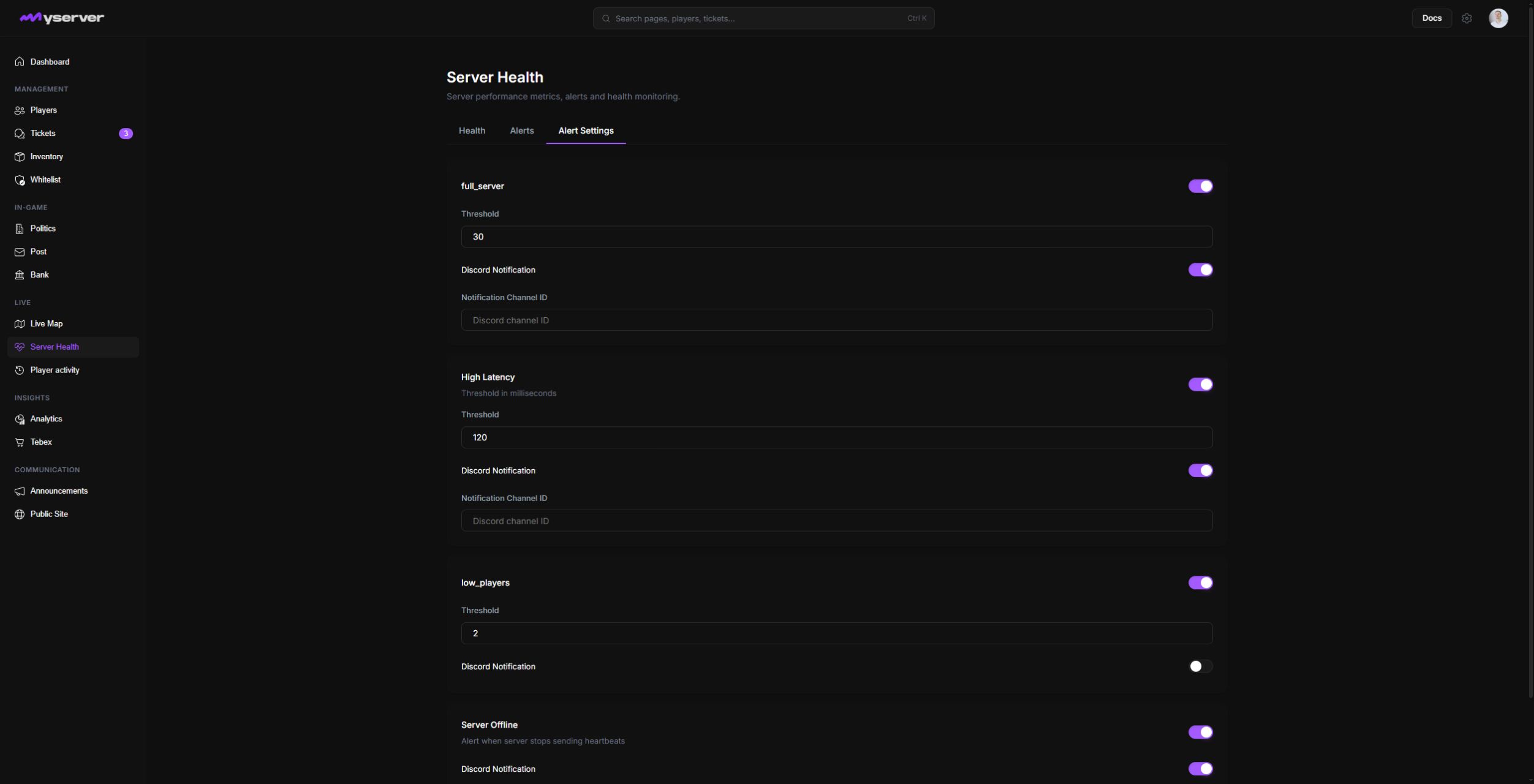
Rules can monitor conditions such as:
- Missing heartbeat or server offline.
- High latency.
- High player count or another configured threshold.
Discord notification requires a connected bot and a valid destination channel. Test the route before relying on it for production incidents.
Triage a problem
- Confirm the last heartbeat time.
- Compare latency and player count around the same moment.
- Review Logs and Player Activity for related events.
- Check the FXServer console and hosting metrics.
- Acknowledge or resolve the Platform alert after the underlying issue is understood.
Platform monitoring complements host-level monitoring. It does not replace CPU, memory, disk, or network telemetry from the server provider.
Last updated: September 11, 2026