RedM / FiveM documentation
Murphy’s Platform
In-game systems
Bank
Inspect accounts, balances, owners, and transaction history.
Bank exposes the account data synchronized by the compatible in-game banking resource.
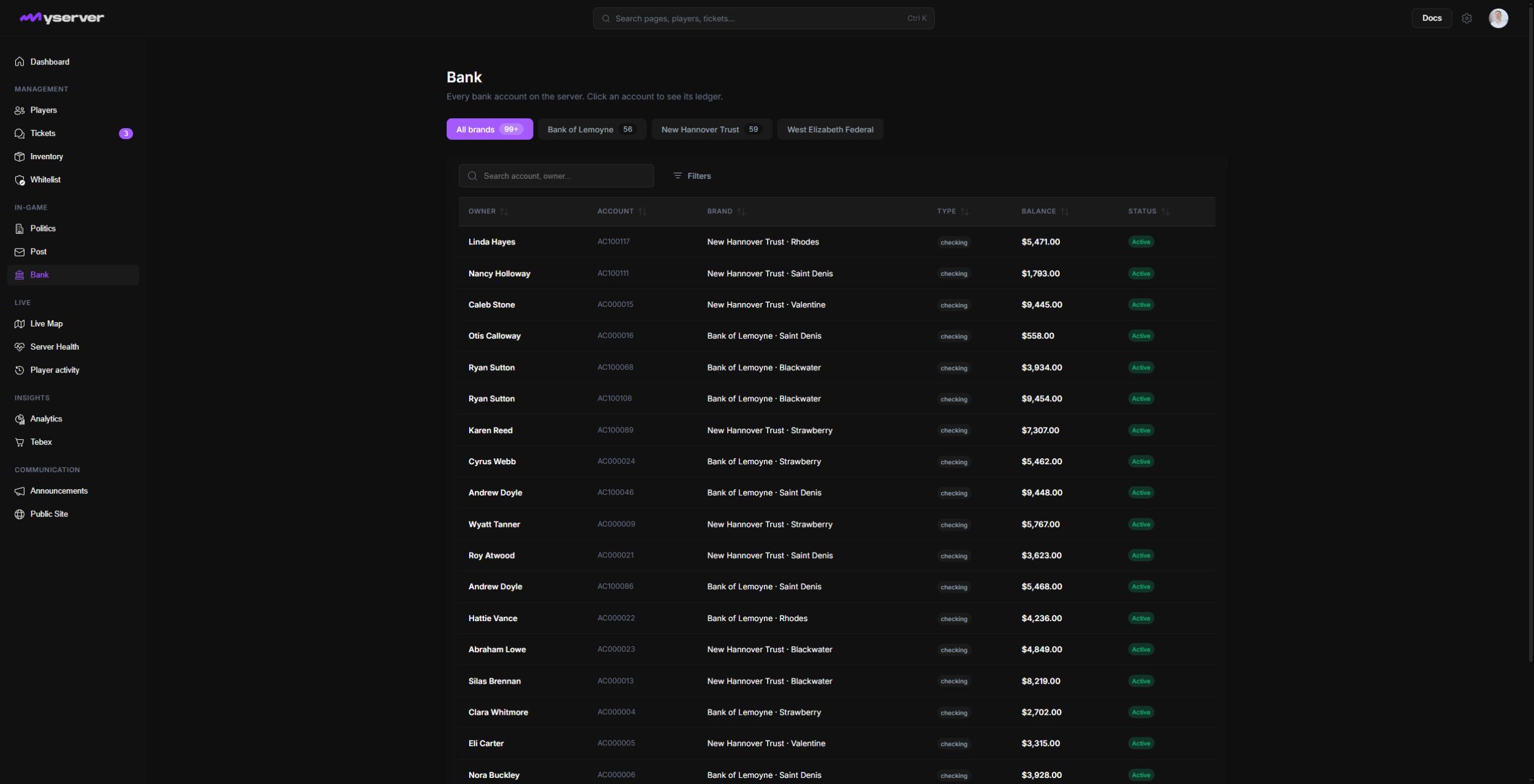
Find an account
Choose the bank brand, then use search and status filters to locate an account by number, owner, character, or supported label. Click the row to open its ledger. The detail header provides View owner, Freeze, Adjust, and Close controls above the transaction history.
Review the ledger before changing a balance
Transaction history helps staff investigate deposits, withdrawals, transfers, fees, and support claims. Compare the amount, direction, counterpart, timestamp, and recorded description.
Select Adjust from the open ledger. In the dialog, choose the operation, enter the amount, and provide a reason. The warning identifies that Platform will queue a server command and add a matching transaction. No balance changes until the final confirmation.
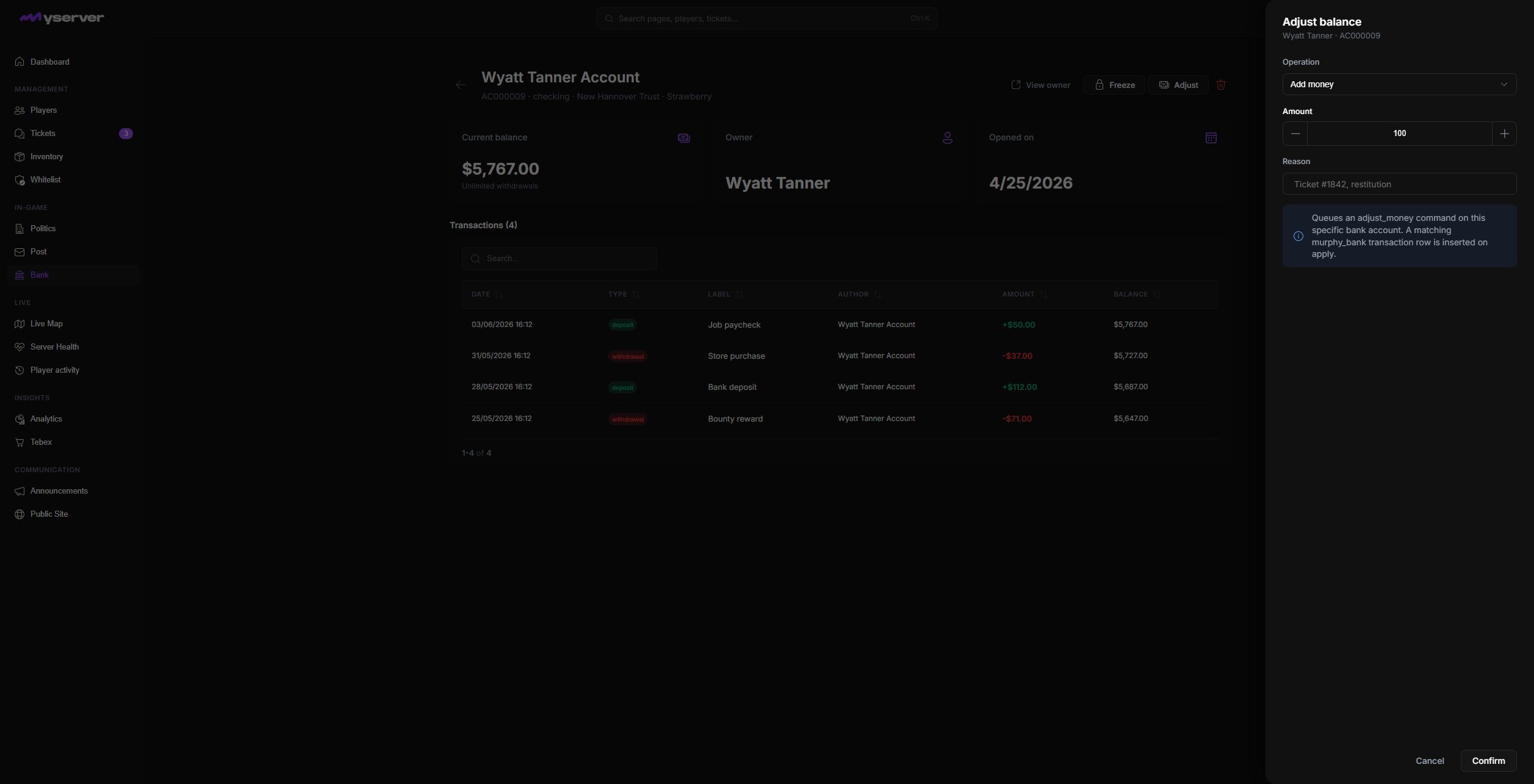
Bank data is sensitive and balance changes affect the live game economy. Restrict write access to authorized roles, require a clear operational reason, and verify the selected account before confirming any change.
If the Platform balance differs from the game server, stop and confirm sync freshness before adding or removing funds.
Last updated: September 11, 2026