RedM / FiveM documentation
Murphy’s Platform
In-game systems
Post
Search mail, inspect deliveries, and support character correspondence.
Post provides a staff view of the correspondence synchronized by the compatible in-game mail resource.
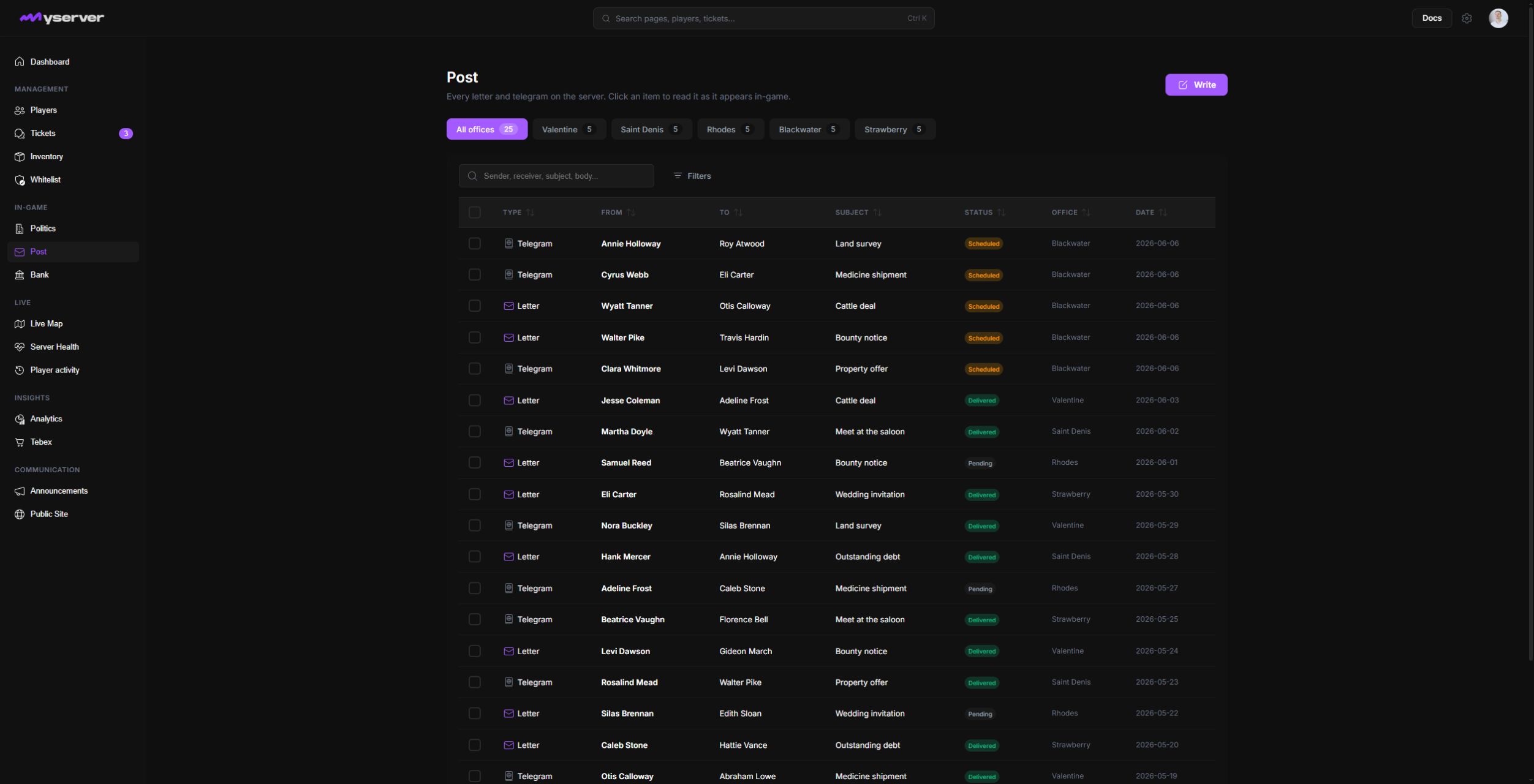
Find mail records
Search by character, sender, recipient, subject, or other identifiers exposed by the connected script. Use the available filters to narrow direction, state, or delivery information.
Click a row to open the document viewer. It displays sender, recipient, complete body, originating office, sent date, and current delivery state. View sender and View receiver open the corresponding player profile; Mark delivered changes delivery state; Delete is destructive.
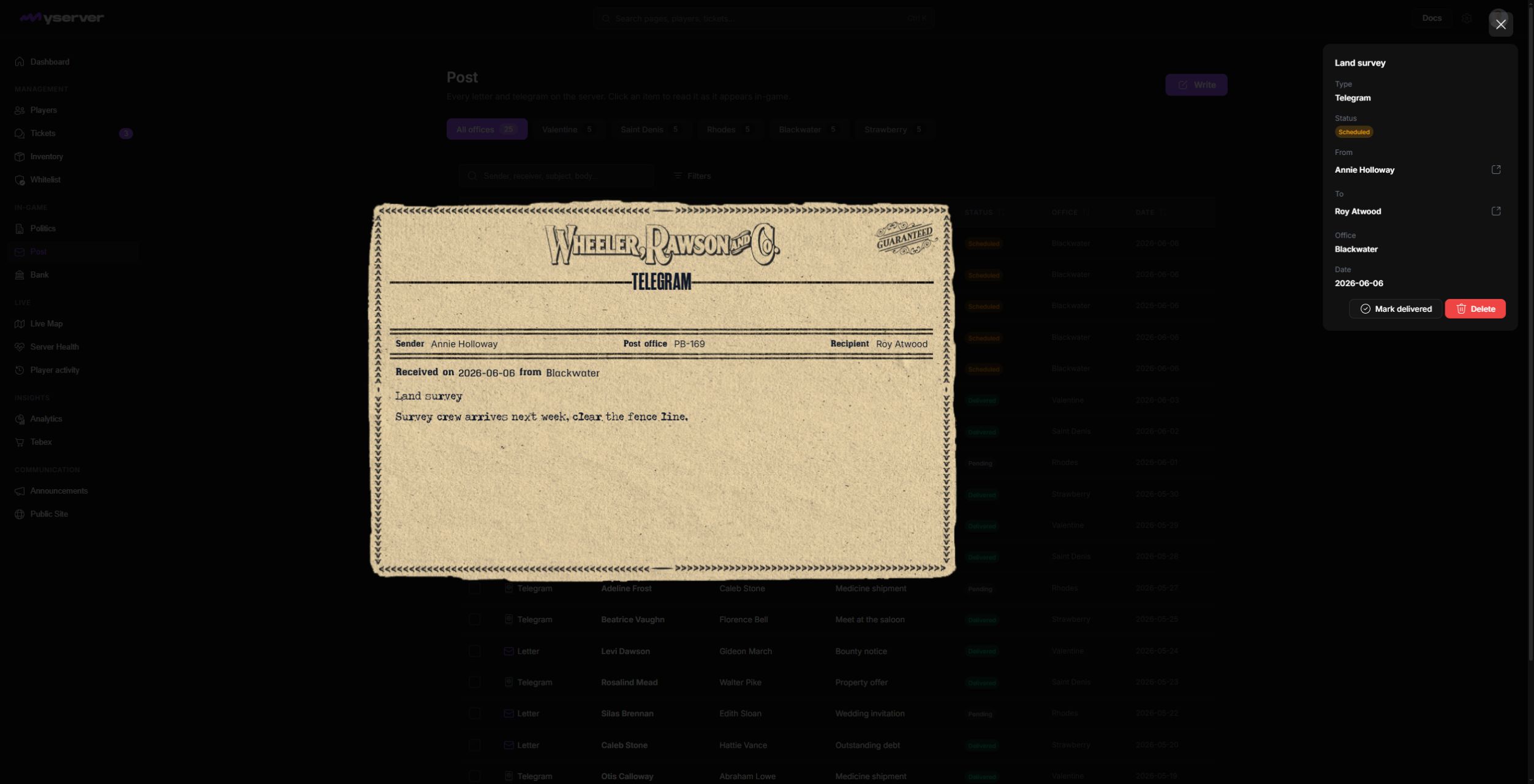
Investigate and resolve mail issues
The page helps staff investigate missing mail, attachment delivery, reported abuse, or character-level support issues without querying the game database directly.
Mail content can be private. Limit access to staff members who need it for an approved operational purpose and record consequential actions in the case or ticket.
If recent mail does not appear, confirm the Post script is installed, the Platform resource reports it as available, and the sync completed successfully. Then verify the correct character was selected.
Last updated: September 11, 2026