RedM / FiveM documentation
Murphy’s Platform
Growth and communication
Tebex
Track purchases, delivery state, role mappings, and store connection settings.
Tebex remains the payment provider. Platform receives purchase information, tracks delivery, and can connect packages to supported server or Discord actions.
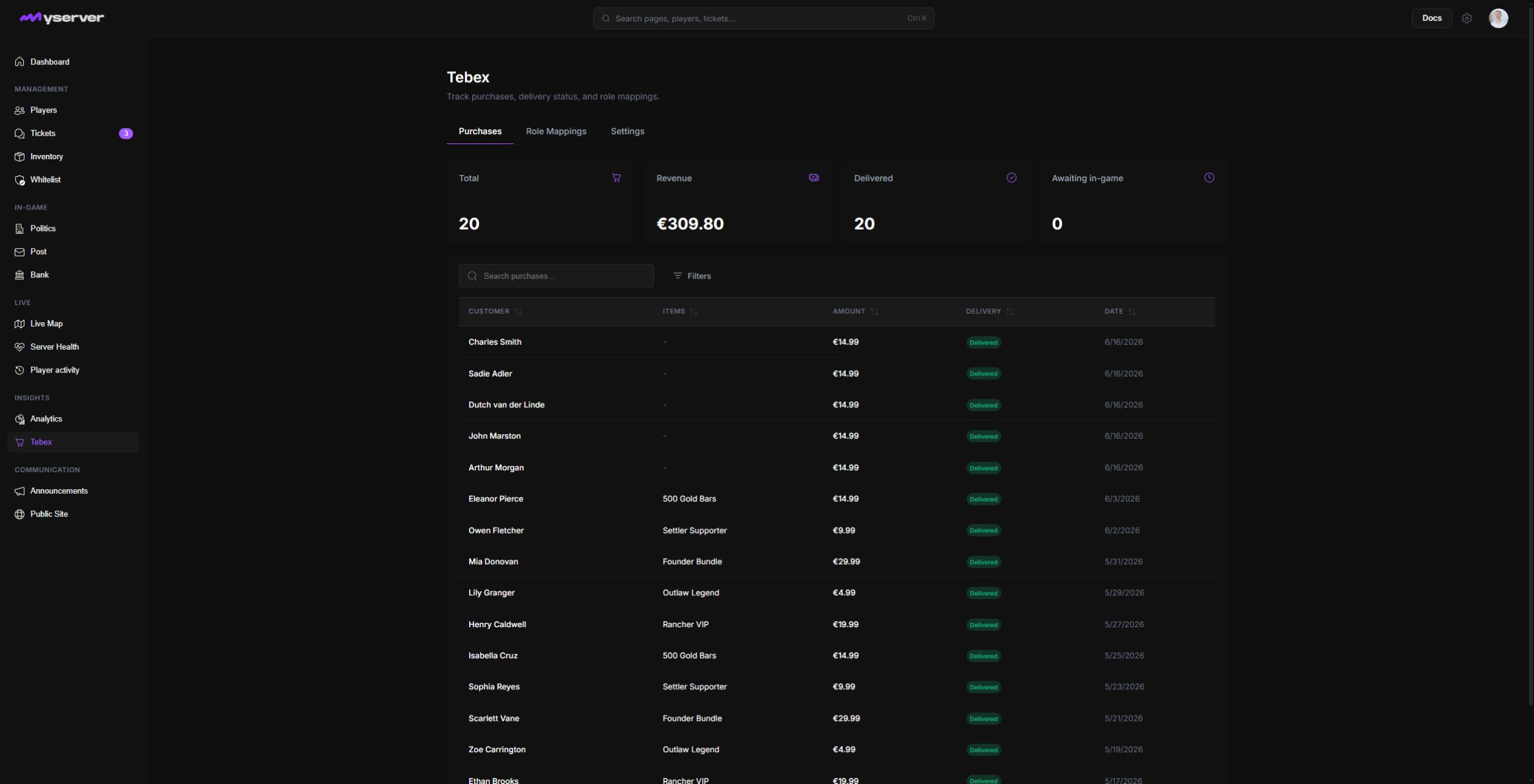
Connect the store and read each purchase
Open the Settings tab in Tebex, enter the required store and webhook information, then add the generated webhook destination in the Tebex dashboard.
Use a dedicated webhook secret and keep it private. Platform should never need a buyer's payment card information.
The Purchases tab provides customer, item, amount, date, transaction, and delivery information. Search by the identifiers exposed in the table and filter by delivery status.
Click a purchase row to open its detail. The MyServer sheet identifies the customer, email, country, Cfx.re identity, purchased item, price, payment state, delivered time, delivery attempts, and any synchronized Discord roles.
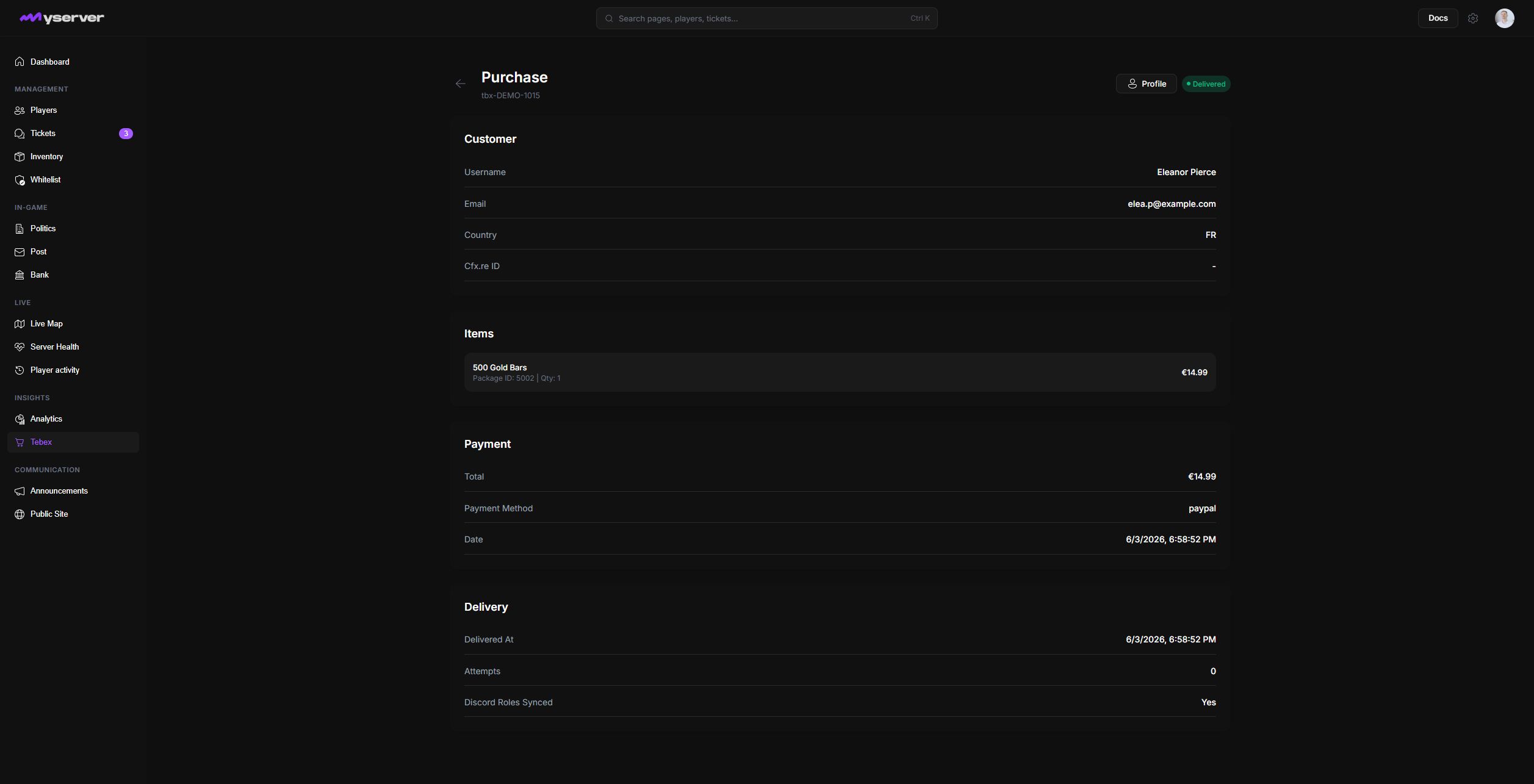
Inspect the item-level delivery state before retrying or completing a support action.
Use Role Mappings to connect a Tebex package to a Discord role. The buyer must be identifiable in Discord, the bot must be connected, and the bot role must sit above the destination role.
Resolve a missing delivery without repeating payment
- Confirm the transactionVerify the original purchase in Tebex.
- Check the webhookConfirm Tebex delivered the purchase event successfully.
- Match identities and packagesVerify the customer, Cfx.re or Discord identity, package, and role mapping.
- Read the delivery attemptInspect the item-level state and error in Platform.
- Retry only the failed stepNever recreate or repeat the payment itself.
Last updated: September 11, 2026