RedM / FiveM documentation
Murphy’s Platform
Growth and communication
Announcements
Draft, schedule, send, and reuse community announcements.
Announcements gives authorized staff a structured place to prepare and send community messages.
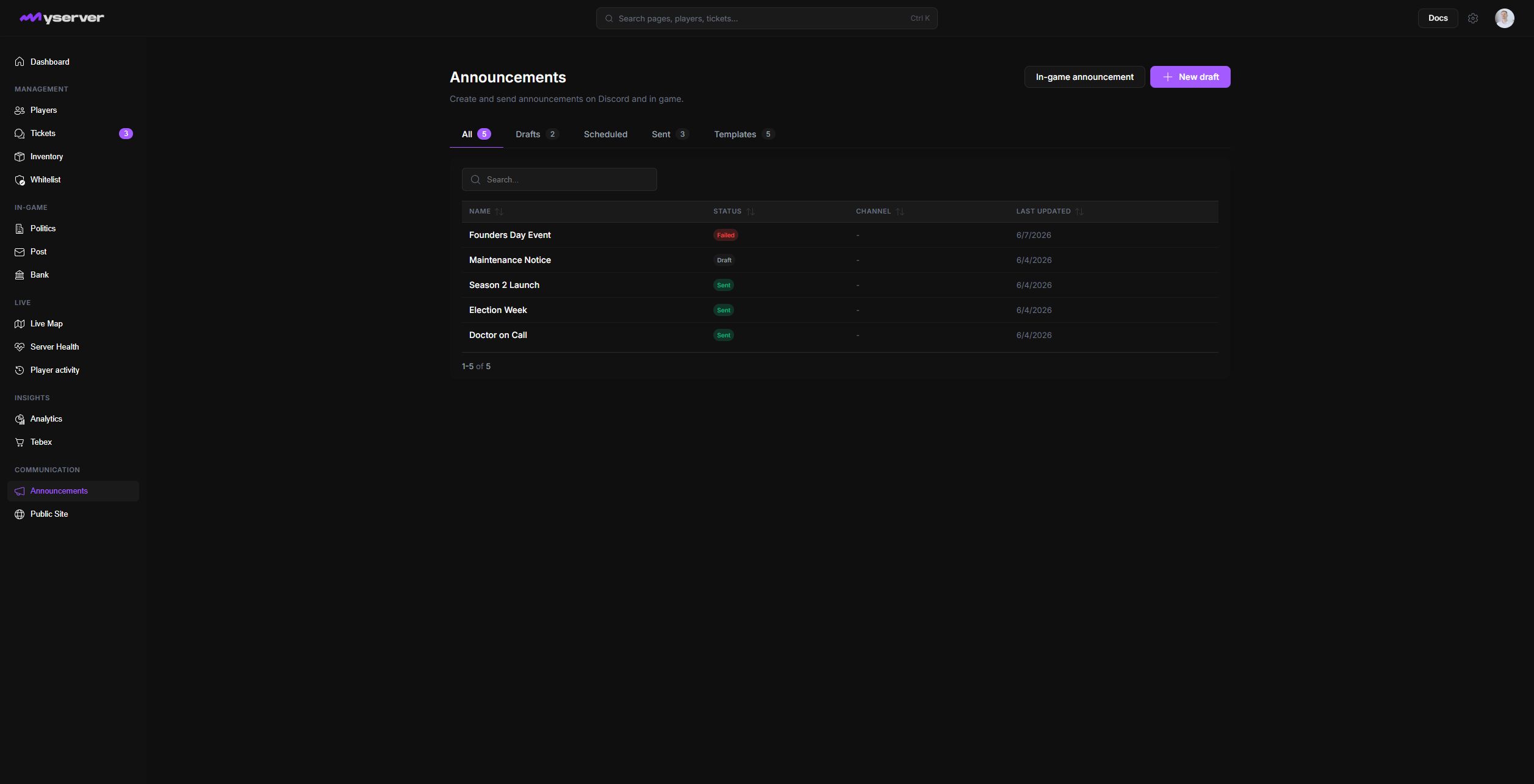
Create, review, and deliver an announcement
Use the tabs to separate all announcements, drafts, scheduled messages, sent messages, and reusable presets.
Drafts can be reviewed before sending. Scheduled messages remain visible until their planned delivery time. Sent messages preserve the record of what was published.
Select New announcement, or click an existing row to reopen its editor. The editor separates the internal name from Discord Message Content, mention controls, channel, and scheduling.
Enable Rich Embed to reveal title, URL, description, color, media, author, footer, and custom fields. The Preview updates beside the form so staff can check hierarchy before Send Now or scheduling. Delete removes the announcement; use it only on the intended draft or preset.
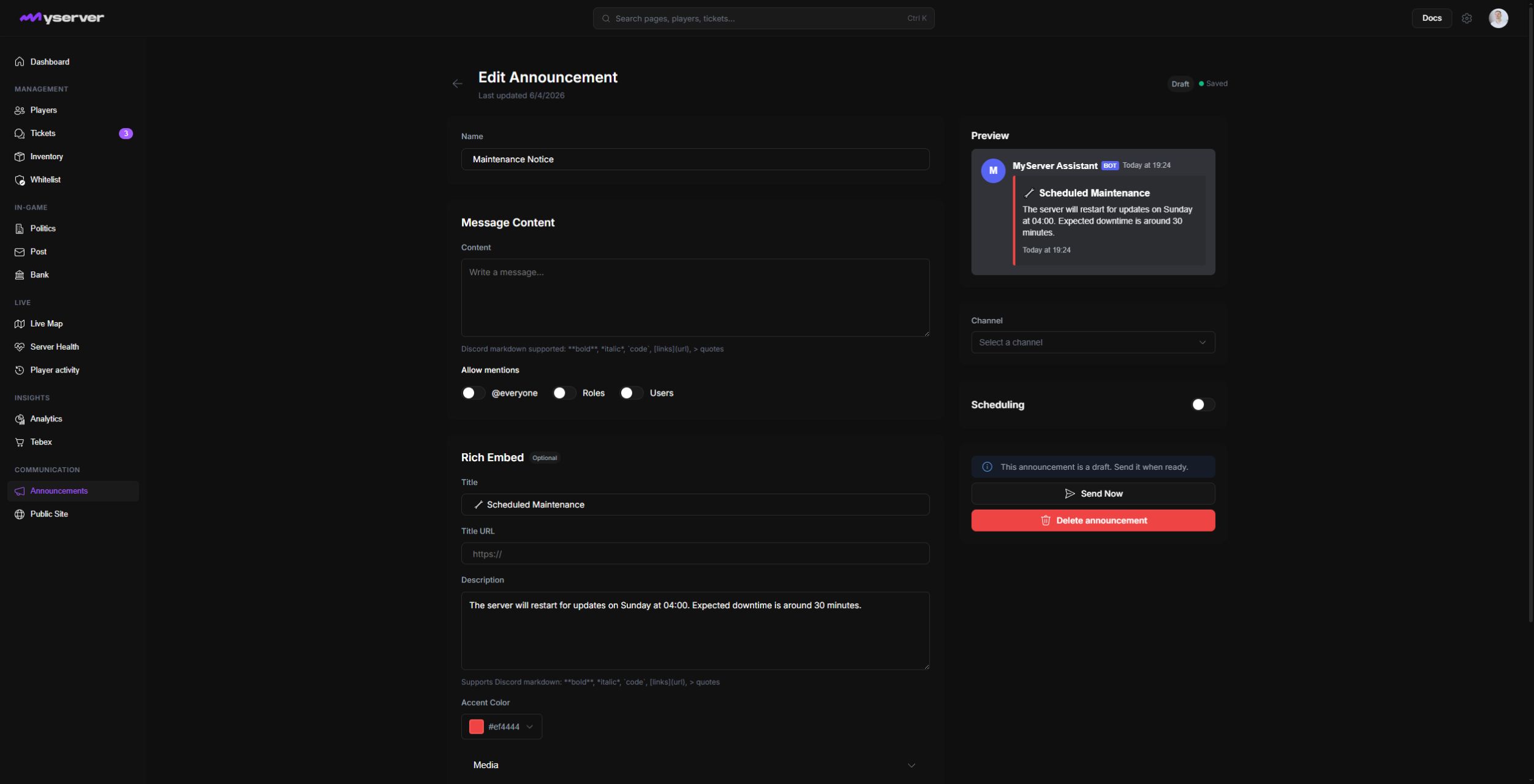
Save as a draft when another staff member must review it.
Use presets for repeated formats such as maintenance notices, events, recruitment, or release notes. Keep the variable content clear so an old date or link is not reused accidentally.
Verify delivery
Discord delivery requires the bot to access the selected channel. After sending, confirm the announcement appears in the intended server and channel.
Announcements represent the community publicly. Limit send and scheduling permissions to trusted roles.
Last updated: September 11, 2026