RedM / FiveM documentation
Murphy’s Platform
Growth and communication
Public Site
Build and publish the server site, pages, navigation, rules, docs, and links.
Public Site is the website builder for the selected server. It can publish community information without requiring a separate site codebase.
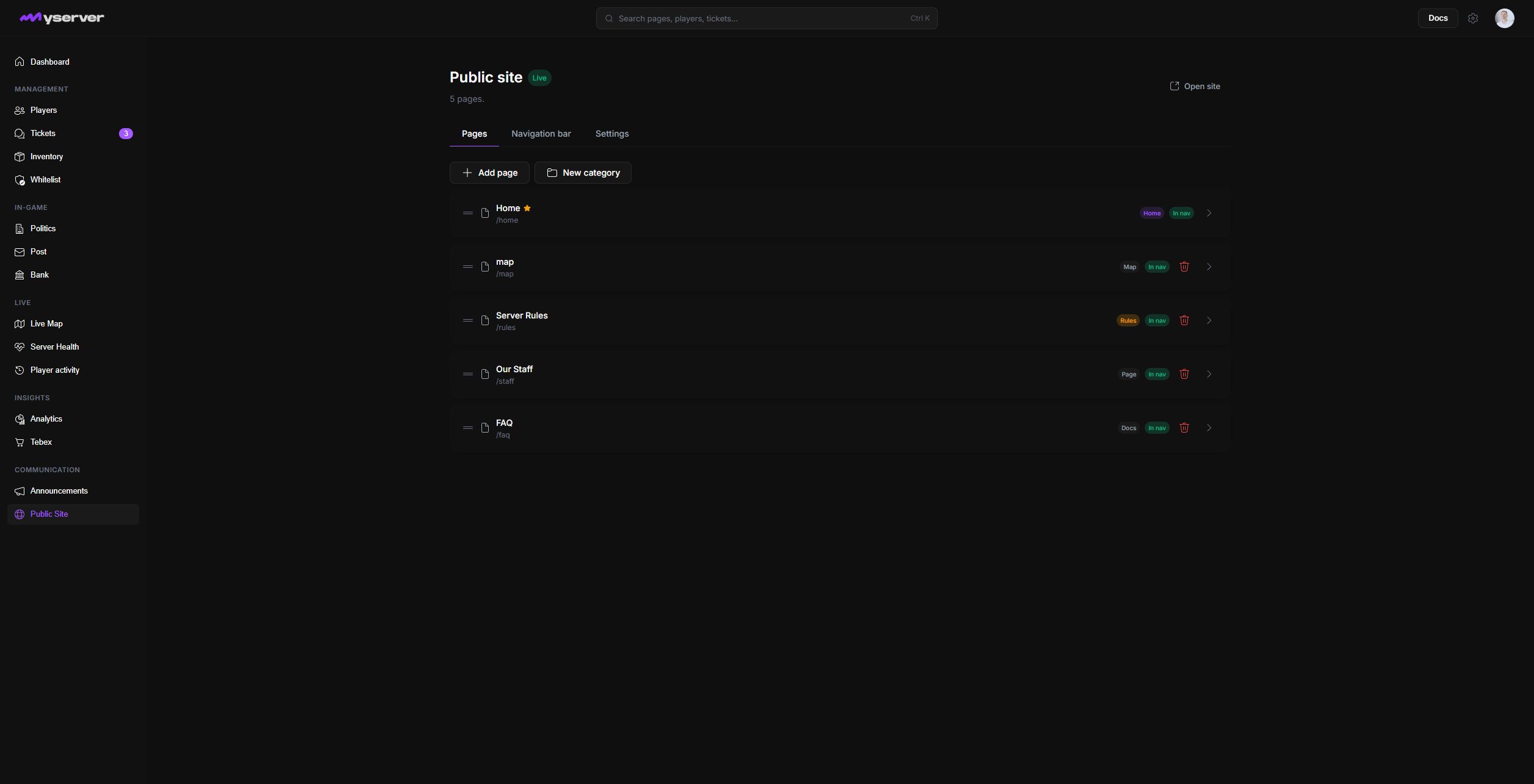
Build the site from pages and blocks
Use Pages to create, group, reorder, duplicate, publish, or hide content. Categories organize documentation pages in the sidebar without becoming content pages themselves. Each page can control its title, slug, description, search keywords, navigation label, publication state, navbar presence, social preview, layout, and optional table of contents.
Navigation bar controls the public menu and dropdown behavior. Settings controls the site identity, theme, footer, links, domain, and publication configuration. Templates can provide a starting structure, but the saved pages and blocks remain editable.
The full-screen builder has three working areas: the left library inserts blocks, the center canvas renders the page, and the right properties panel edits the selected page or block.
Block library
Text and headings
media and embeds
layout containers
lists and accordions
Interactive canvas
Reorder blocks
group sections
preview actual server content
edit inline
Properties panel
Page metadata
block content and variants
visibility and publication
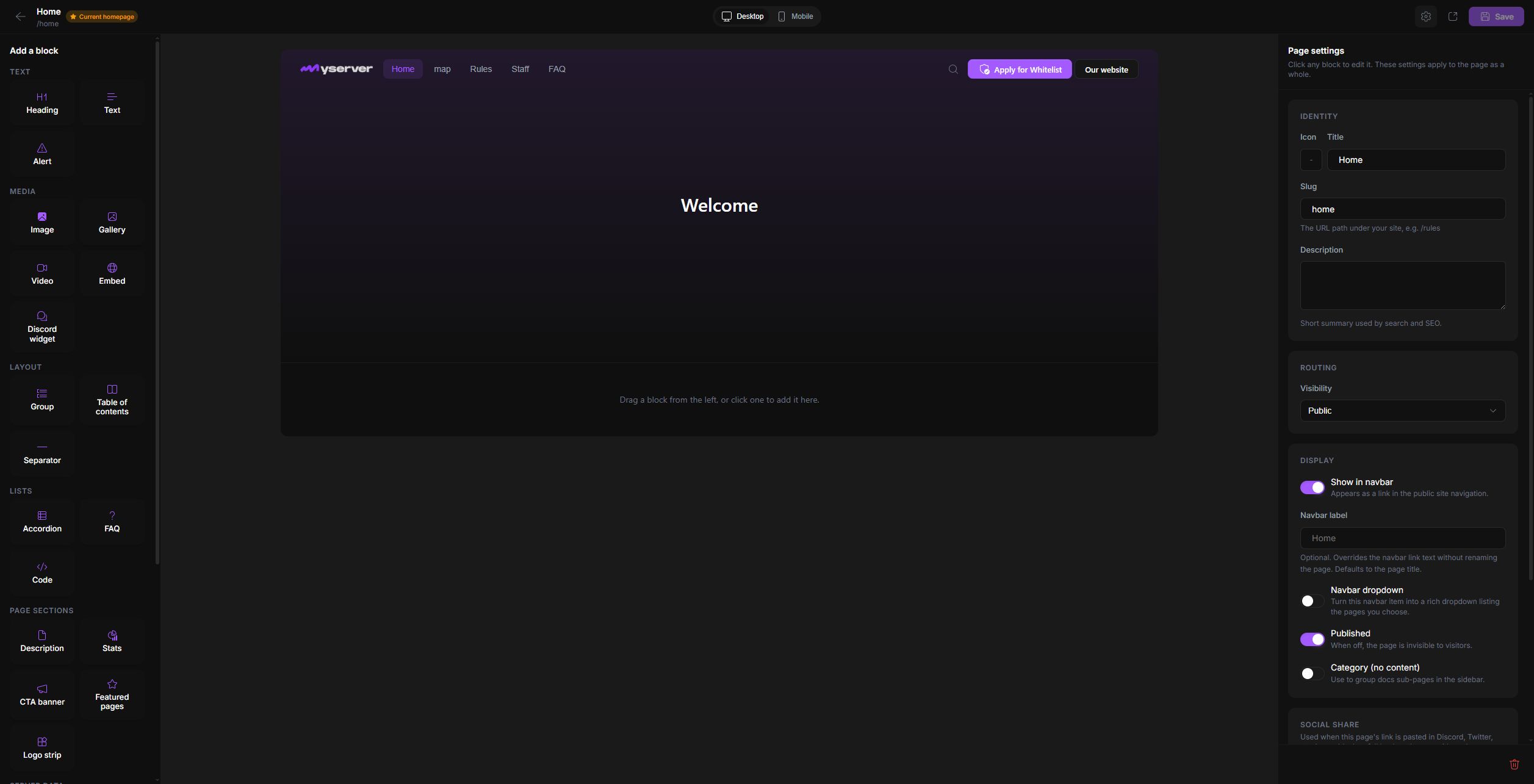
The library includes server-aware blocks for status, map, announcements, staff, statistics, player charts, upcoming whitelist sessions, Discord, rules, featured pages, calls to action, and reusable layout. Use Desktop and Mobile above the canvas, then Open live to verify the published result before Save.
Preview, brand, and publish deliberately
The server logo and accent color come from Settings > General, while the site editor controls site-specific typography, page composition, navbar, footer, social links, and domain. Check desktop and mobile, long and short pages, light and dark media, empty server-data blocks, dropdown navigation, and documentation sidebars.
Review every public link, application route, Discord invite, iframe, and contact destination. Do not place resource tokens, API keys, private staff notes, internal server data, or unpublished operational screenshots on a public page.
After publishing, open the public URL in a signed-out browser and verify navigation, mobile layout, forms, metadata, search-engine visibility, and custom-domain behavior.
Last updated: September 11, 2026