RedM / FiveM documentation
Murphy’s Platform
Developer
Webhooks
Subscribe endpoints to server events and inspect delivery attempts.
Webhooks send event notifications from Platform to an HTTPS endpoint you control.
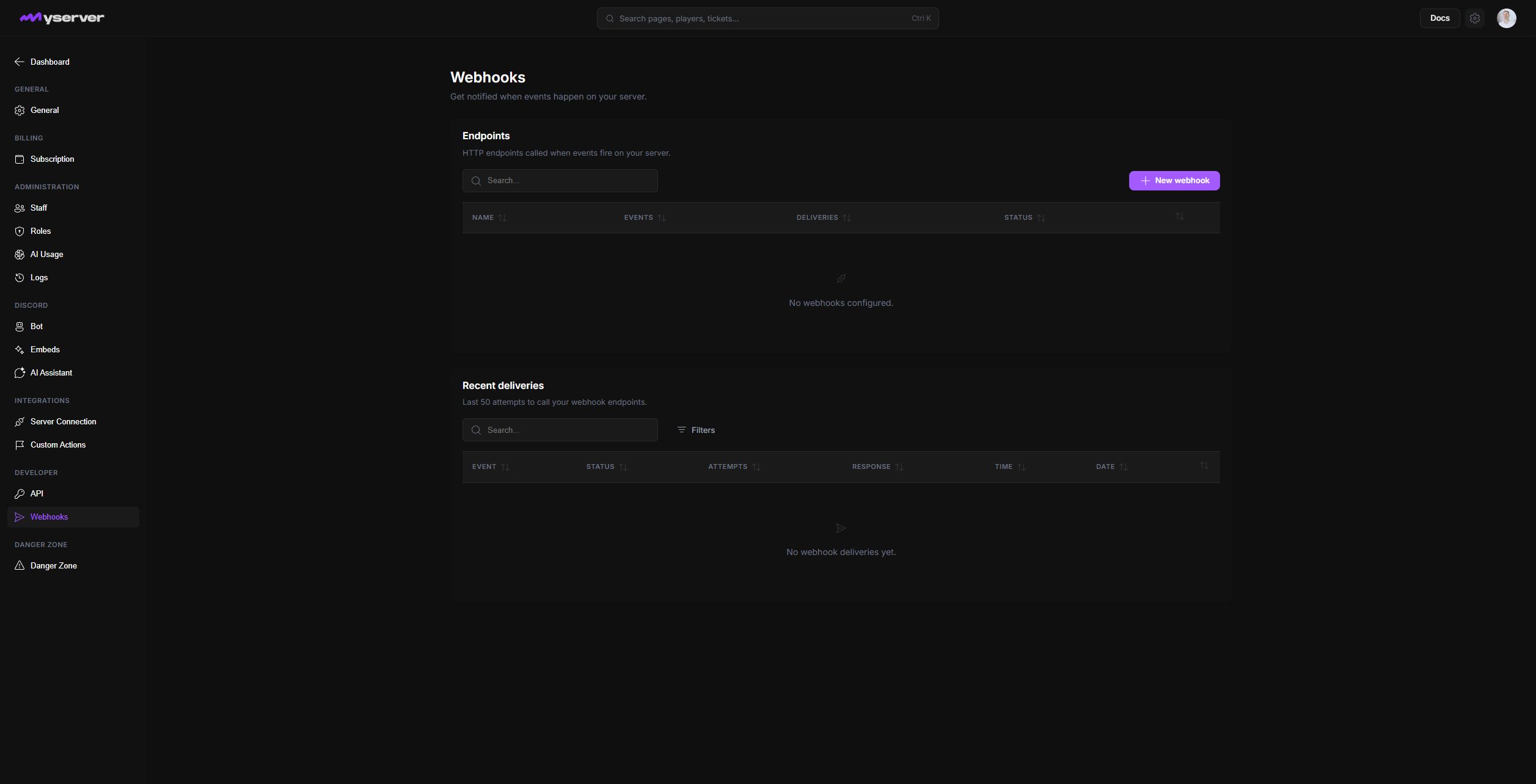
Create an endpoint and verify every request
Open Settings > Webhooks and choose New webhook. Enter a recognizable name and HTTPS URL, then select only the event checkboxes handled by the receiver. The groups cover player, ticket, application, purchase, alert, server, analytics, and session changes.
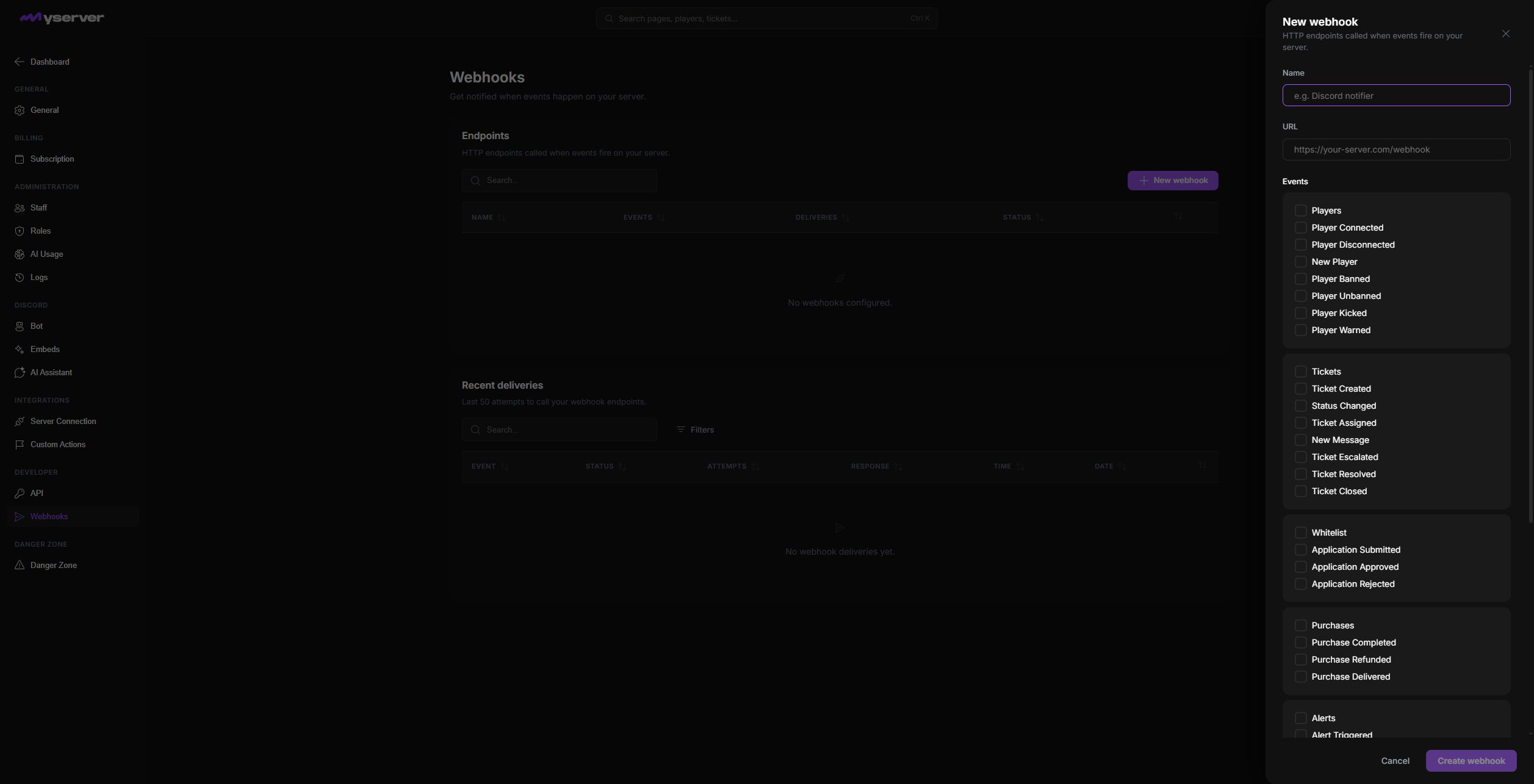
Create remains unavailable until the required endpoint data is valid. After creation, save the generated signing secret securely.
Use a dedicated endpoint that can return a successful response quickly. Move slow work to a queue after validating the request.
Validate the webhook signature against the exact raw request body before parsing or processing the event. Reject missing or invalid signatures.
Also store the event identifier so retries do not apply the same change twice.
Event families cover supported player, ticket, application, purchase, alert, server, analytics, and session changes. Subscribe only to events the receiver actually handles.
Investigate failures
The page shows configured endpoints and recent delivery attempts, including event, status, attempt count, response, time, and date.
When a delivery fails, fix the receiver first, then retry from Platform where supported. Do not disable signature verification to make a failing integration pass.
Last updated: September 11, 2026