RedM / FiveM documentation
Murphy’s Platform
Developer
API
Create scoped keys, authenticate requests, and respect usage limits.
The API provides programmatic access to supported server data. API access is plan-gated and every key is scoped to the selected server.
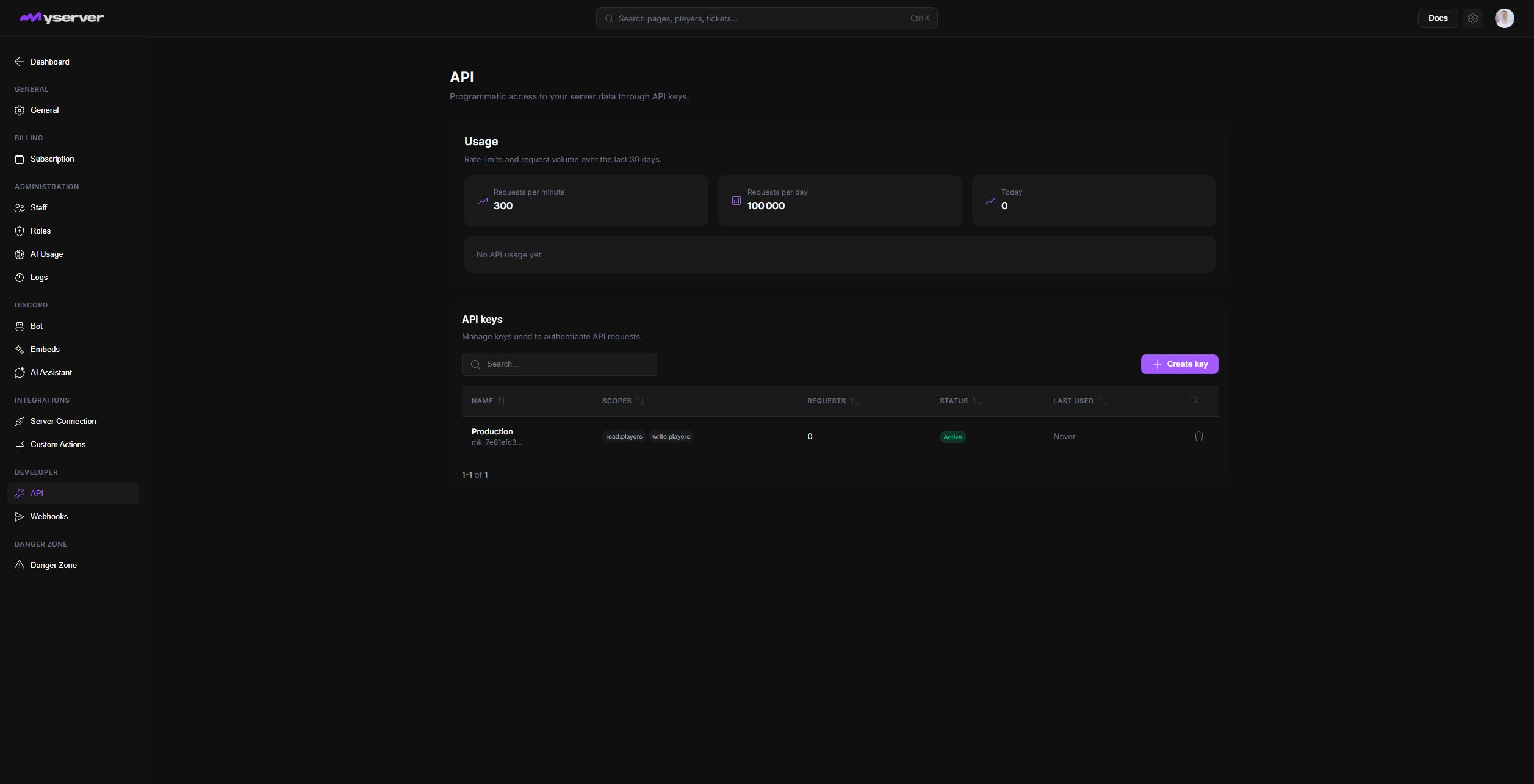
Create a least-privileged key and authenticate
Open Settings > API, choose Create key, give it an operational name, and select only the required scopes.
The dialog groups permissions by domain. Expand only the domains the integration needs and select individual read or write capabilities; avoid granting every checkbox for convenience.
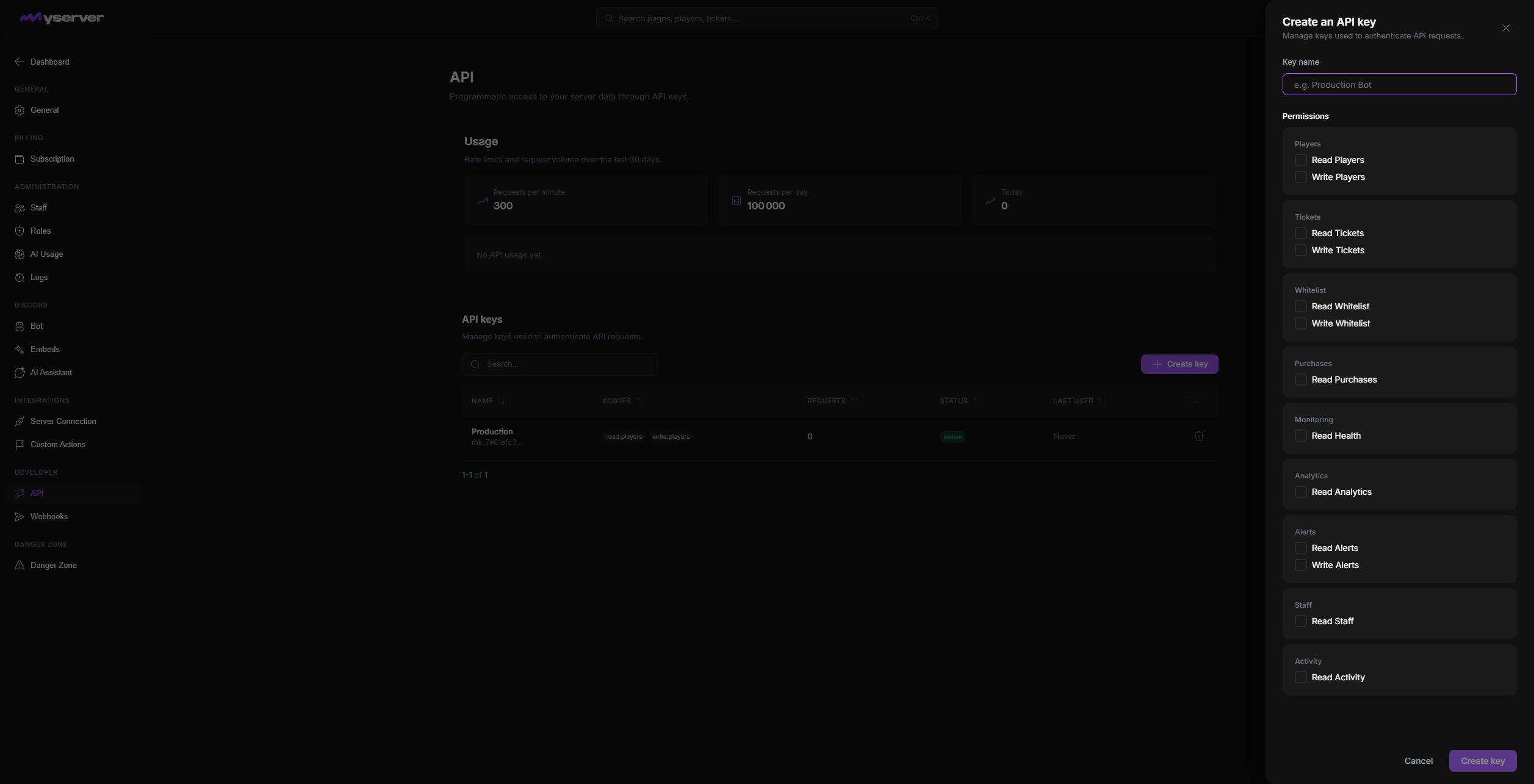
The full secret is shown only when the key is created. Store it in a server-side secret manager. Do not place it in a browser bundle, public repository, screenshot, or support message.
Send the key as a bearer token:
Scopes are grouped around players, tickets, whitelist, purchases, health, analytics, alerts, staff, and activity. Separate integrations should use separate keys so one key can be revoked without interrupting everything.
Monitor and revoke
The API page reports rate limits, daily usage, requests per key, status, and last use. Revoke unused or exposed keys immediately.
Handle 401, 403, 404, and 429 responses explicitly. Use pagination for list endpoints and retry rate-limited requests with backoff.
Last updated: September 11, 2026