RedM / FiveM documentation
Murphy’s Platform
Automation and Discord
Custom actions
Add permission-gated player actions backed by server commands.
Custom Actions add server-specific controls to player workflows without changing the core Platform navigation.
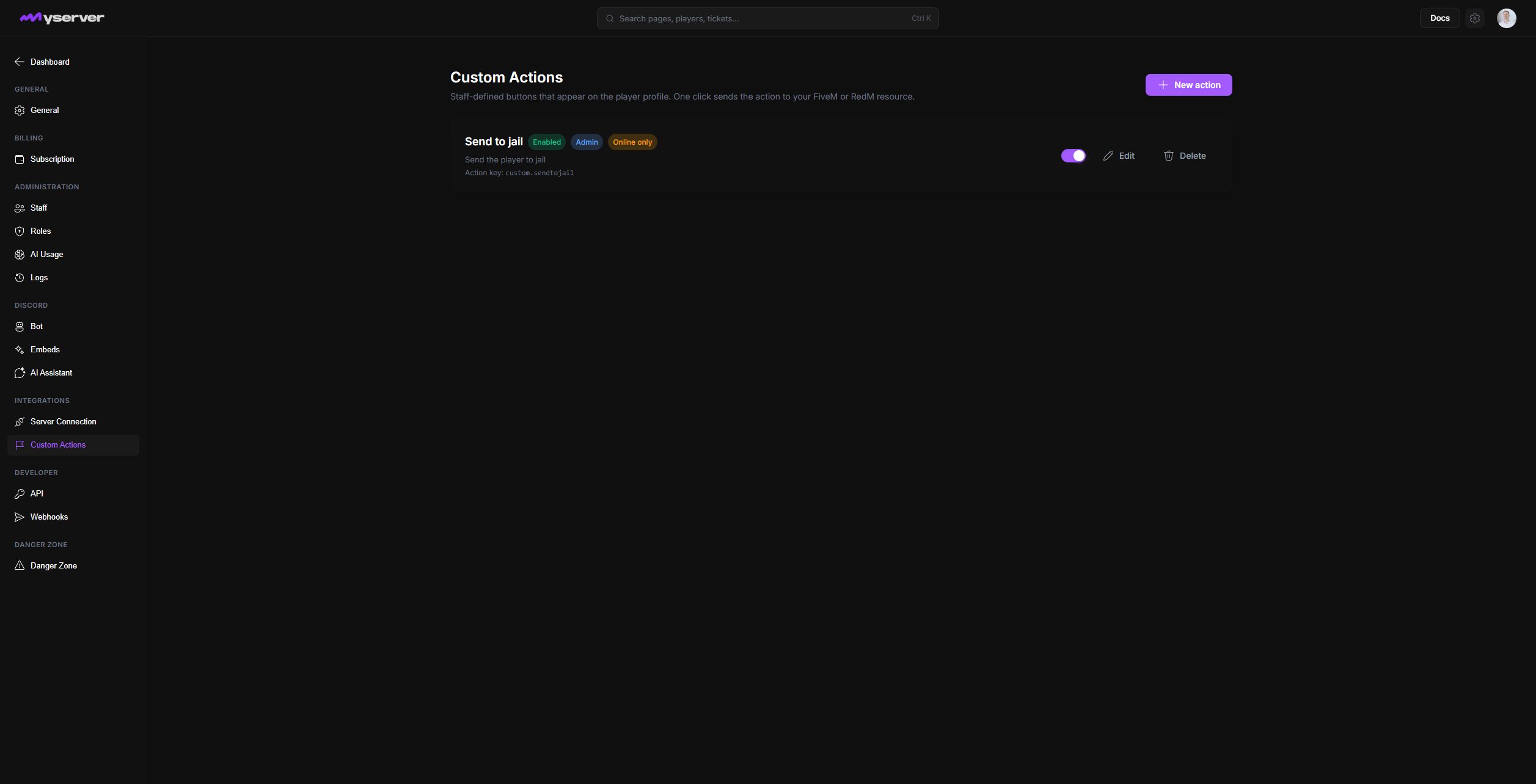
Define, restrict, and test an action
Select New action, or open Edit on an existing action card. The dialog contains the staff-facing label and description, action key, Fluent icon, color, minimum role, online-only requirement, and enabled state. The action key accepts lowercase letters, dots, and underscores and must match the server-side handler.
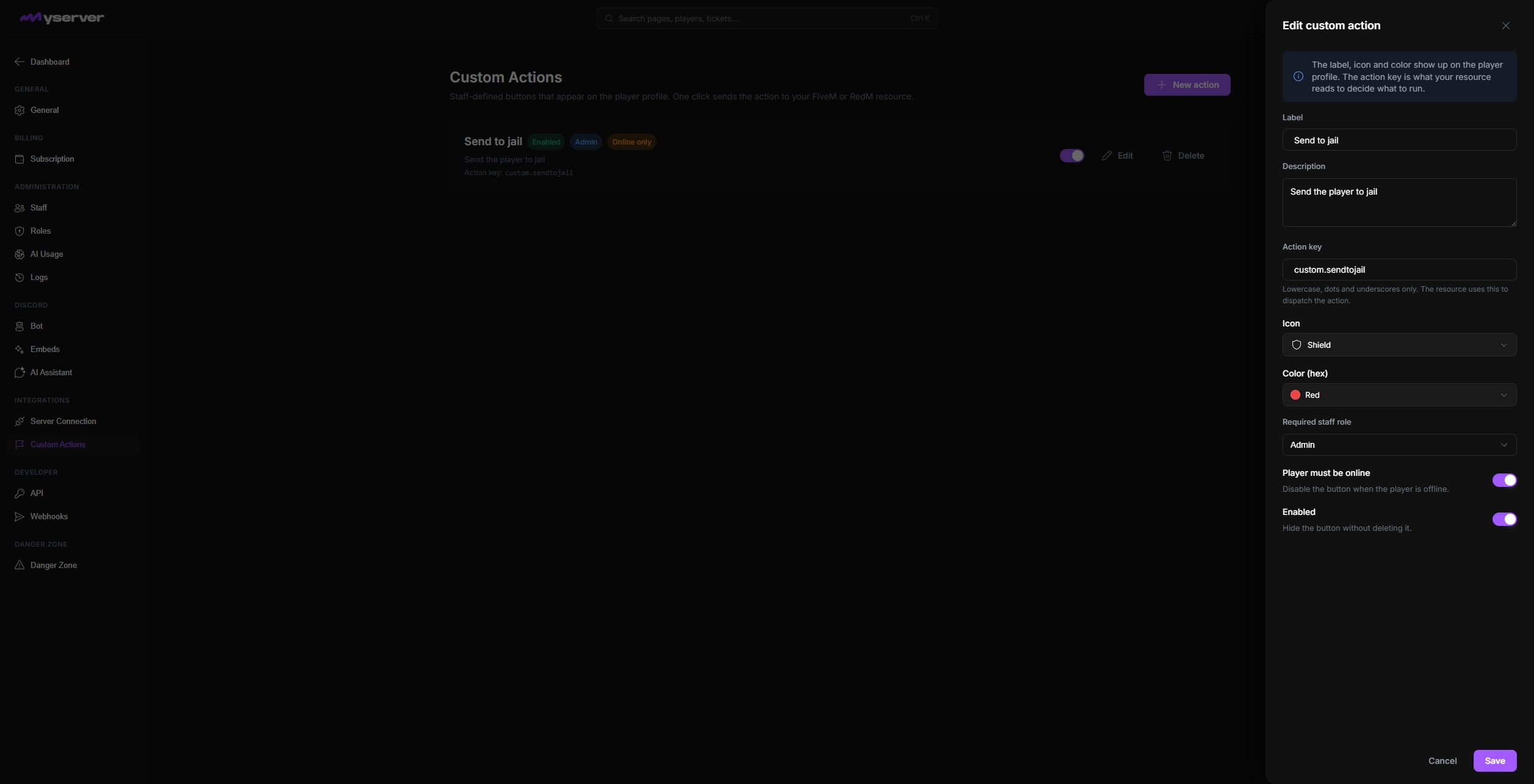
Use names that describe the outcome, such as "Send to clinic" or "Reset voice state," instead of internal command names.
Assign the lowest staff level that should run the action. Destructive, economic, property, or identity changes should require stronger permissions and an explicit confirmation.
Test with a non-critical player record and confirm both the server result and Platform activity log. Handle offline-player behavior deliberately.
- Match the handlerUse the exact lowercase action key implemented by the server resource.
- Describe the outcomeGive staff a clear label and description instead of an internal command name.
- Restrict executionSet the minimum role and whether the target must be online.
- Test end to endConfirm the server result and the Platform activity log on a non-critical target.
- Maintain the controlDisable it when the backing command changes or disappears.
A visible action that no longer works creates operational risk for staff during an incident.
Last updated: September 11, 2026