RedM / FiveM documentation
Murphy’s Platform
Daily operations
Whitelist
Build the application, review candidates, schedule interviews, and enforce access.
Whitelist combines the applicant form, staff review, optional interviews, Discord notifications, and server access enforcement.
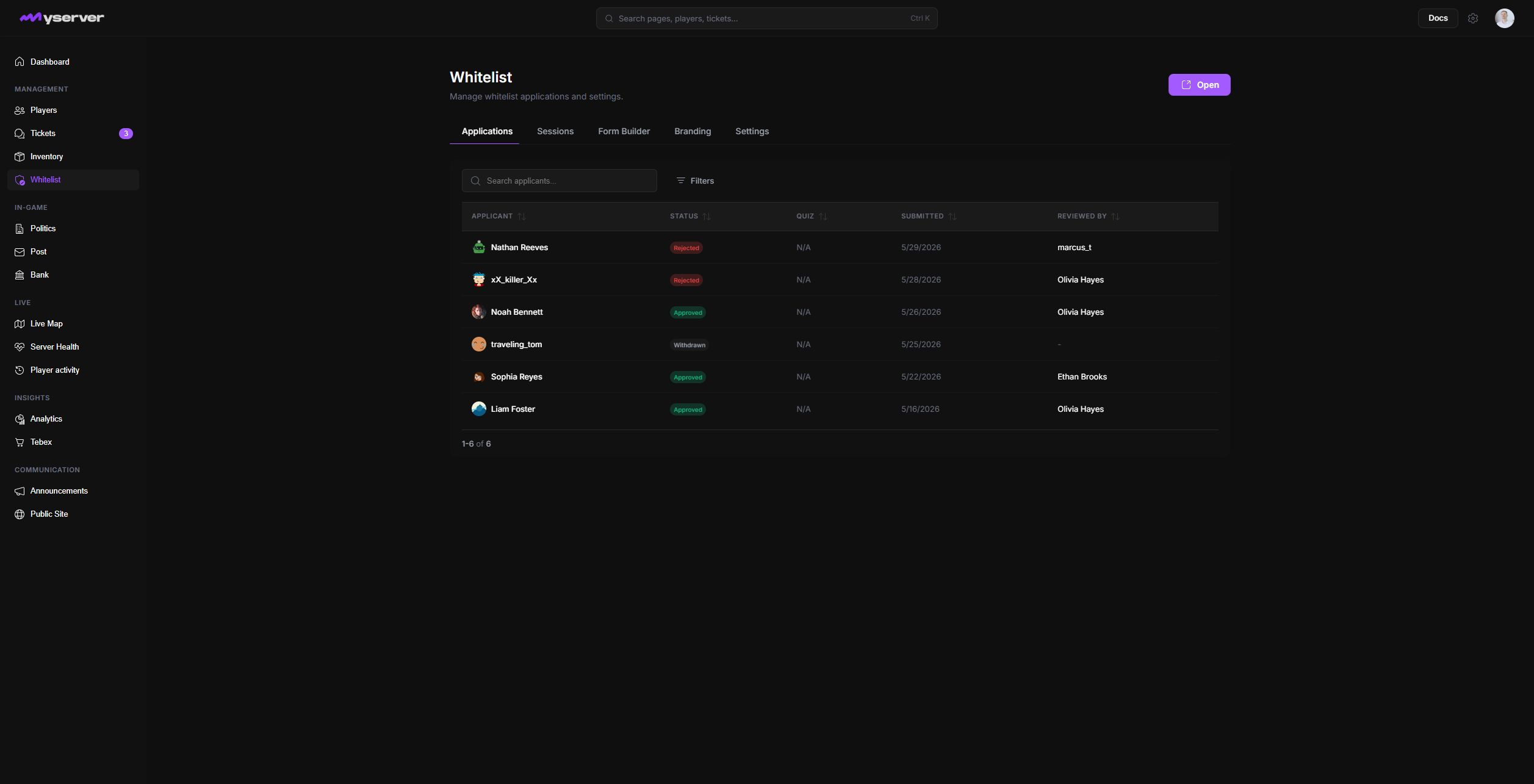
Move an application through one workflow
- Collect the applicationPublish the form with required questions and clear help text.
- Triage the queueFilter pending, in-review, interview, approved, rejected, or withdrawn records.
- Review the evidenceRead every answer, identity, timeline entry, and previous decision.
- Run the interviewSchedule a session, assign staff, and record attendance when required.
- Decide and deliver accessApprove or reject, record the reason, and let Discord role delivery update access.
Use the form builder to create short text, long text, choice, and scored questions. Mark required fields, explain what a good answer should contain, preview the form, then publish it. Applications then move through pending, in review, interview pending, approved, rejected, withdrawn, or Discord-left states.
Click an application row to open its detail page. Form shows every submitted response, applicant identity, current status, and timeline. Review contains reviewer work when that stage is required. Whitelist summarizes the access decision and enforcement state.
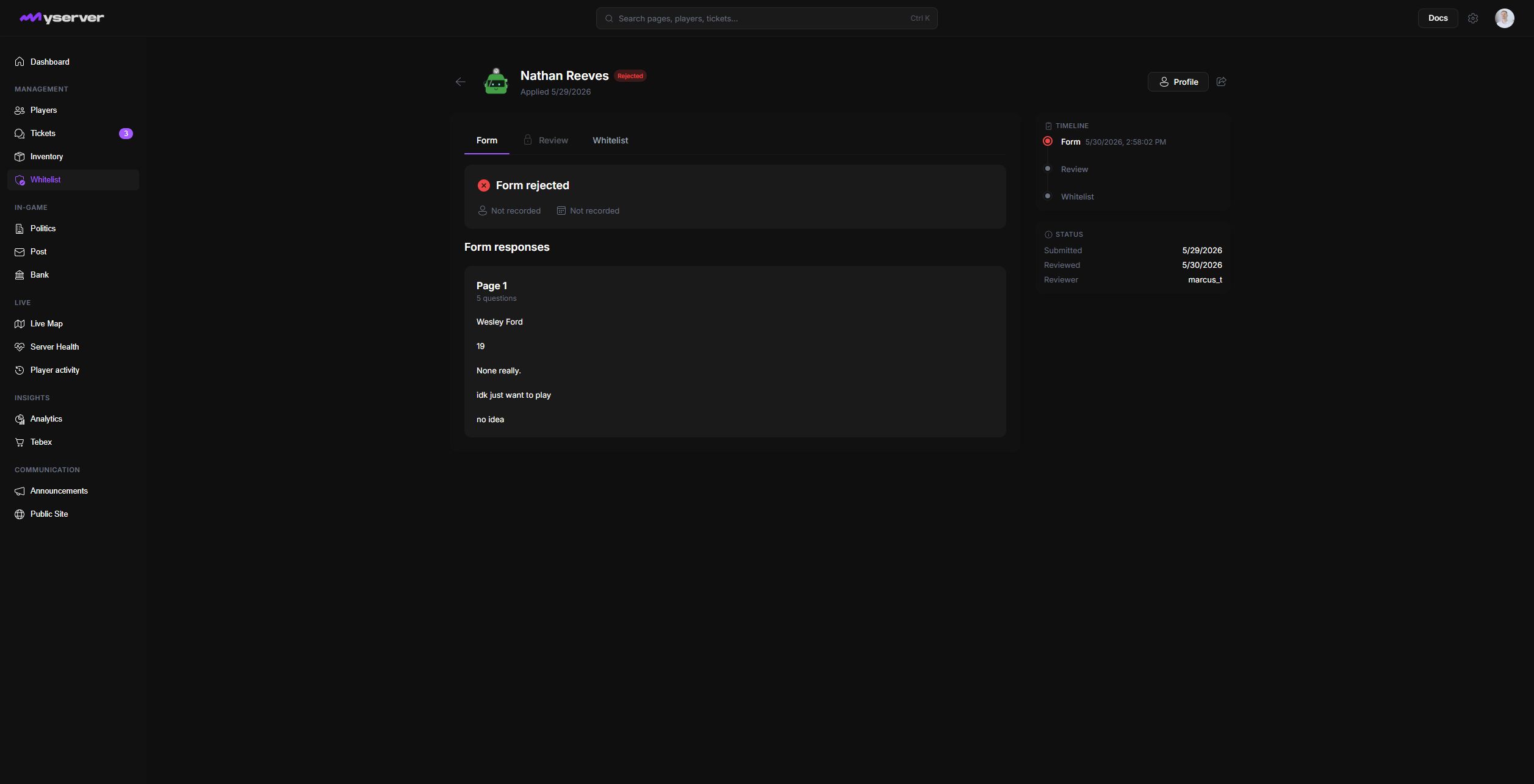
Read all required answers before changing status, and record a reason when rejecting so later reviewers understand the decision. When interviews are enabled, the Sessions workspace groups upcoming interviews, assigned staff, capacity, applicant attendance, and final decisions. Analytics can then report application volume, approval rate, review time, attendance, and reviewer activity.
Configure and enforce access safely
The public application, review workflow, interview sessions, Discord messages, and game-server enforcement are one chain. The bot needs access to the configured channel and must sit above the delivered Discord role. The server resource must remain connected to enforce the approved state in game.
Confirm owner and staff identities before enabling hard enforcement. Choose the expected fail-open or fail-closed behavior for a Platform outage, deploy the application or session panels, then test the full path with a non-staff account before announcing it publicly.
Last updated: September 11, 2026