RedM / FiveM documentation
Murphy’s Platform
Daily operations
Tickets
Manage the Discord support queue, conversations, assignment, priority, and SLA.
Tickets connect a Discord support conversation to a structured staff workflow in Platform.
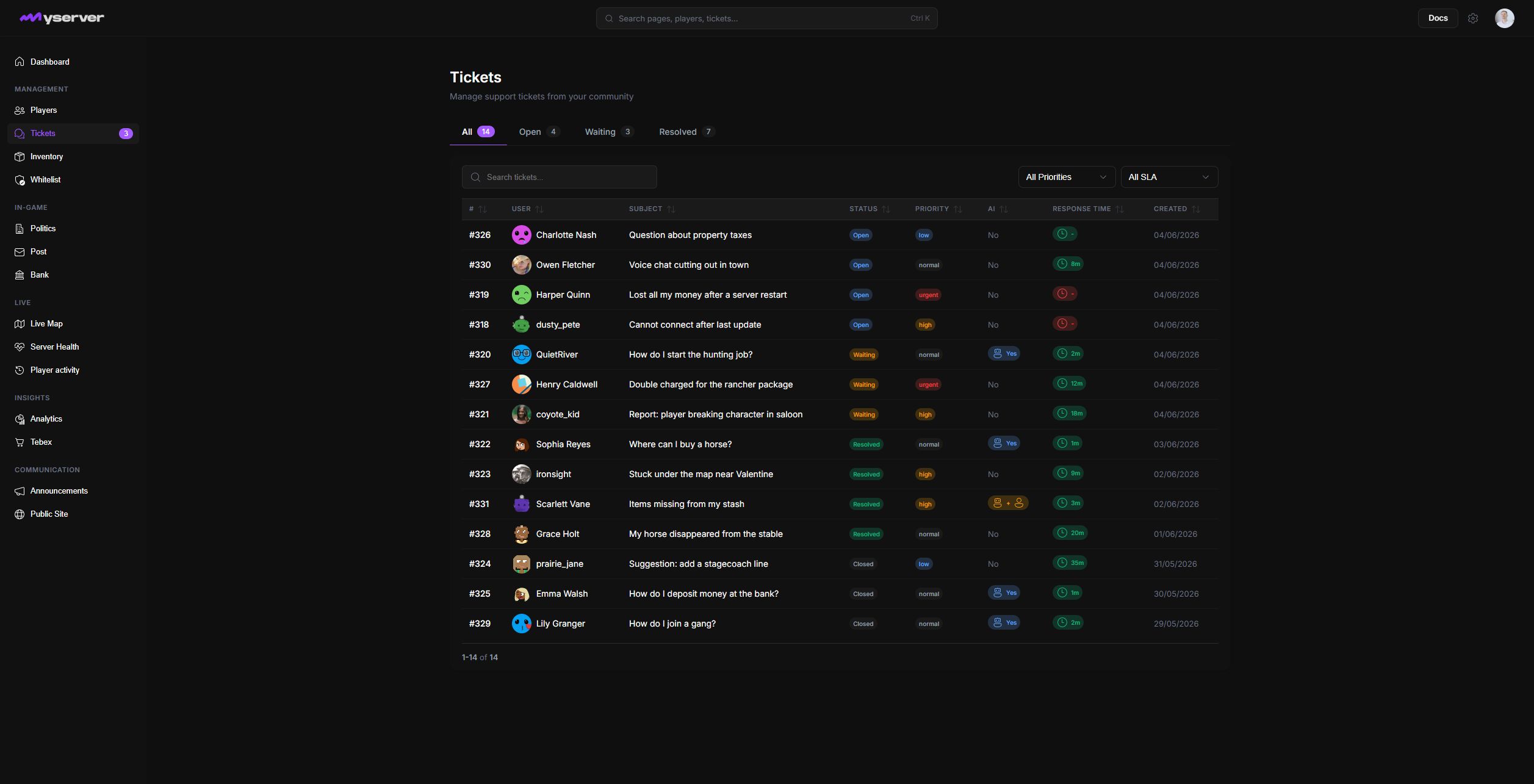
Work a ticket from queue to close
- Find the requestUse status tabs, search, priority, assignment, and SLA state.
- Read the full threadOpen the row and verify the requester, player link, and prior context.
- Coordinate the responseAssign staff, set priority, and keep private reasoning in Internal Notes.
- Reply through PlatformSend the response back to the synchronized Discord conversation.
- Resolve deliberatelyResolve, close, reopen, or escalate only when the thread supports it.
The queue shows the ticket number, subject, requester, status, priority, assigned staff member, SLA state, and creation time. Sidebar badge counts identify requests waiting for staff. Click a row to open the complete workspace; the center column contains the Discord conversation and composer, with attachment, emoji, and GIF controls when enabled.
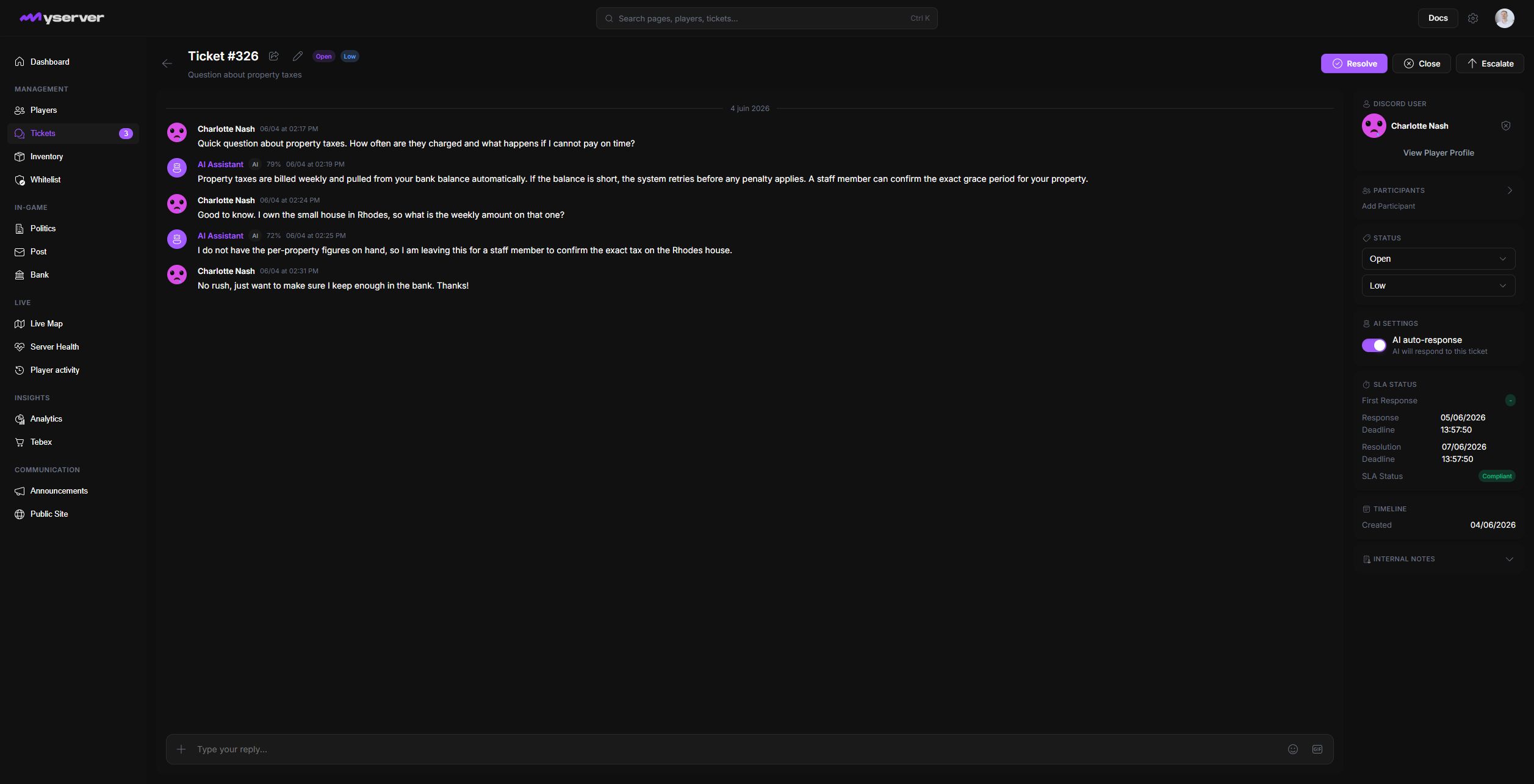
The detail page keeps the operational controls around the conversation:
- Header controls change status, priority, assignment, and the resolve, close, reopen, or escalate state.
- Requester context shows Discord identity, the linked player profile, and support-risk flags.
- Internal Notes records staff-only context. It is never sent as a requester reply.
- AI and SLA shows generated assistance, confidence, response deadlines, and violations when those features are enabled.
- Conversation tools preserve Discord messages, attachments, reactions, mentions, and the staff reply composer in one thread.
Keep the support record trustworthy
Keep a ticket open while active work is happening. Use waiting states when the next response must come from the requester or another staff member. Resolve it when the issue is complete, then close it according to the team's retention process. Consistent status, priority, and assignment choices keep dashboard counts, SLA reporting, and handoffs meaningful.
Ticket messages can contain personal or support-sensitive information. Verify the linked player before using View Player Profile or Flag User, keep internal notes separate from requester-visible replies, and avoid copying conversation data outside approved staff surfaces.
Last updated: September 11, 2026