RedM / FiveM documentation
Murphy’s Platform
Daily operations
Player directory
Search the player history, filter the list, and open the correct profile.
The Player directory contains everyone recorded by the server resource, not only the players currently online.
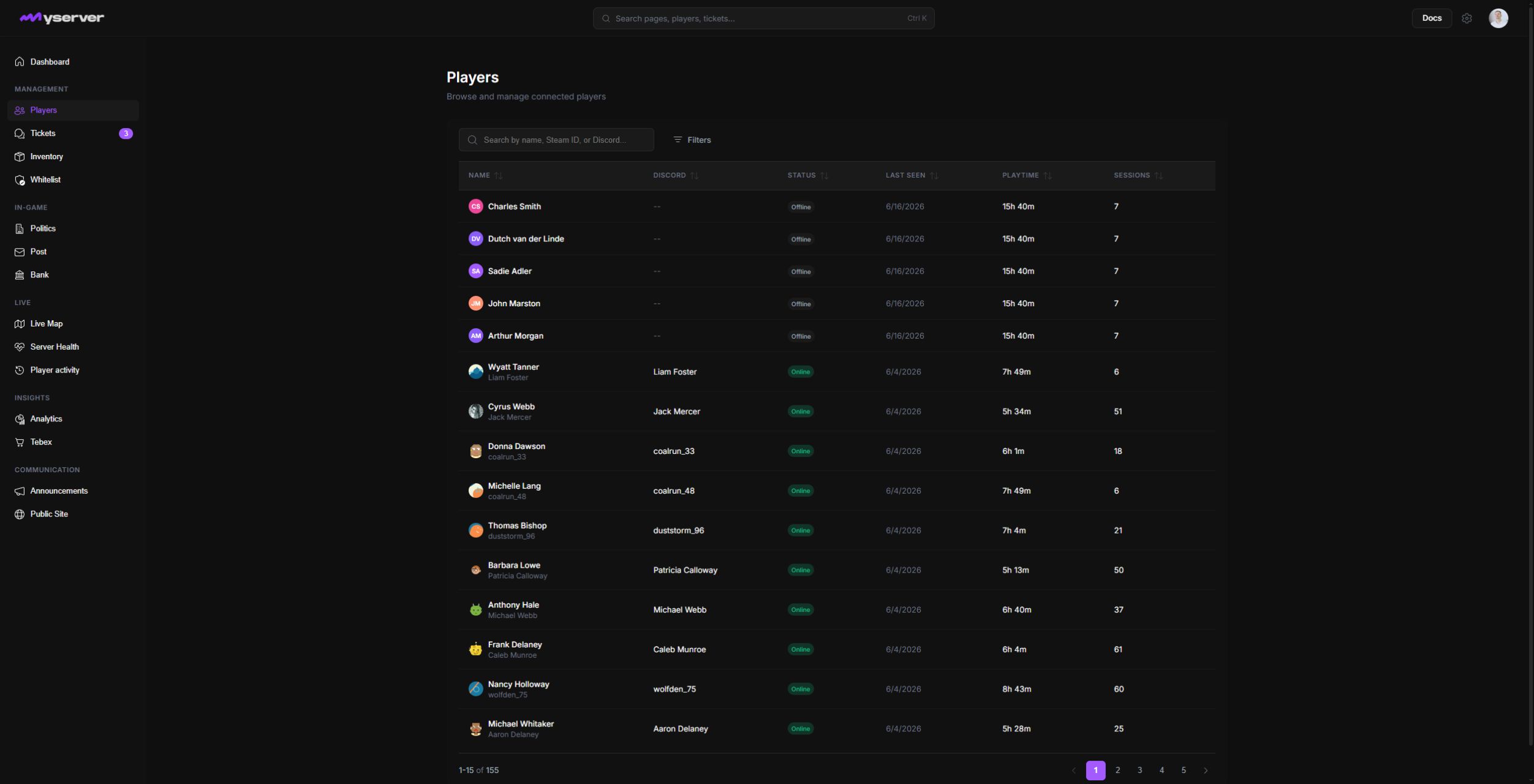
Find a player
Search by the identifiers shown in the interface, including player name, character name, Steam identity, Discord identity, or CFX.re information when available.
Use Filters to narrow the directory by connection status or moderation state. Sortable columns help compare last seen time, playtime, and session count.
Interpret the result before opening it
| Column | Meaning |
|---|---|
| Name | The display identity chosen by the server identity configuration |
| Discord | Linked Discord identity when available |
| Status | Online or offline state from the latest resource sync |
| Last Seen | Most recent recorded connection activity |
| Playtime | Accumulated time across recorded sessions |
| Sessions | Number of recorded joins |
Select a row to open the complete profile. The profile combines moderation, activity, connected identities, characters, and supported in-game records.
If two records appear to represent the same person, confirm the underlying identifiers before taking action. Display names and character names are not unique.
Last updated: September 11, 2026