RedM / FiveM documentation
Murphy’s Platform
Administration
Logs
Audit staff actions, configuration changes, and important platform events.
Logs is the audit trail for Platform-side actions and configuration changes.
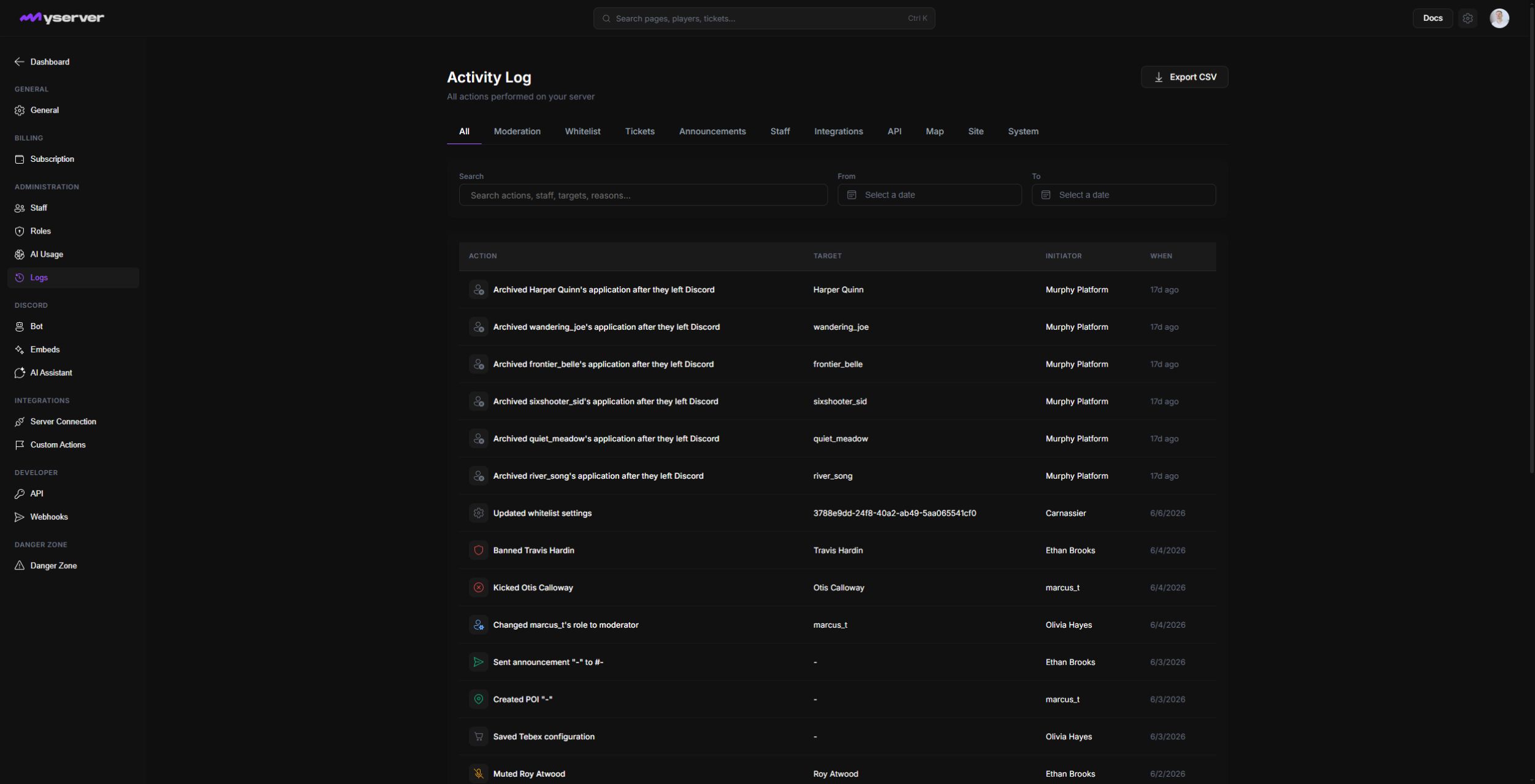
Search the correct timeline and investigate consistently
Use the All, Moderation, Whitelist, Tickets, Announcements, Staff, Integrations, API, Map, Site, and System tabs, then combine search with From and To dates. Export CSV exports the audit data for a separate investigation.
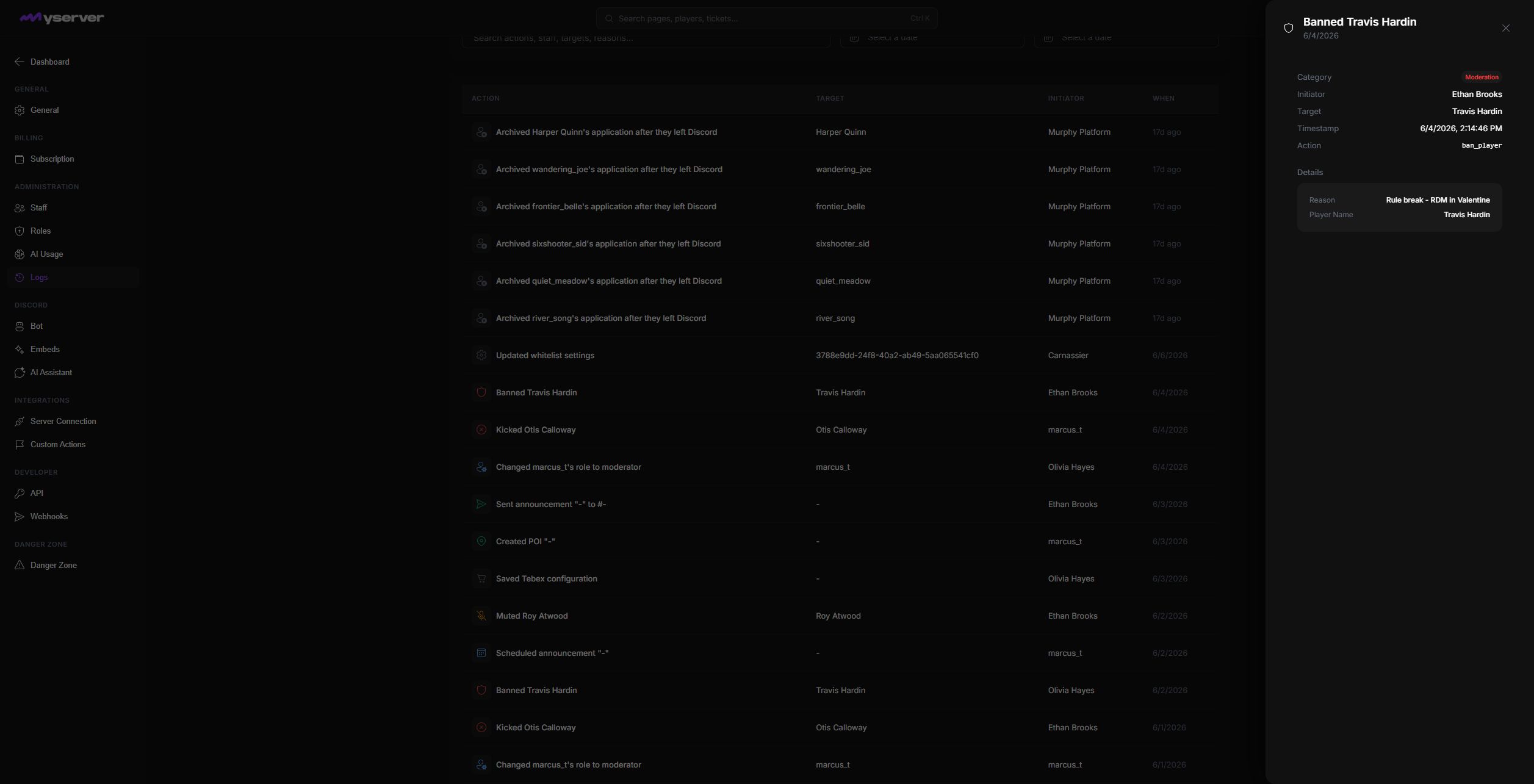
Click a row to open its detail dialog. It identifies the category, initiator, target, exact timestamp, internal action key, and structured details captured with the event. For example, the MyServer moderation event below records both the banned player and staff-supplied reason.
- Use Logs for staff and configuration audit events.
- Use Player activity for game and player event history.
- Use Webhooks for outbound delivery attempts.
- Use Tickets for support conversation and internal notes.
Start with a time window and known actor or entity. Compare related records across the correct timelines before deciding whether an action failed or was repeated.
Log access can expose sensitive operational details. Limit it to roles that need audit or administrative context.
Last updated: September 11, 2026