RedM documentation
Murphy's Craft
Crafting System
Crafting Stations
How crafting stations work
Overview
Crafting stations in Murphy's Craft are specialized locations where players can craft items based on specific categories. Each station can be customized and added to the server configuration.
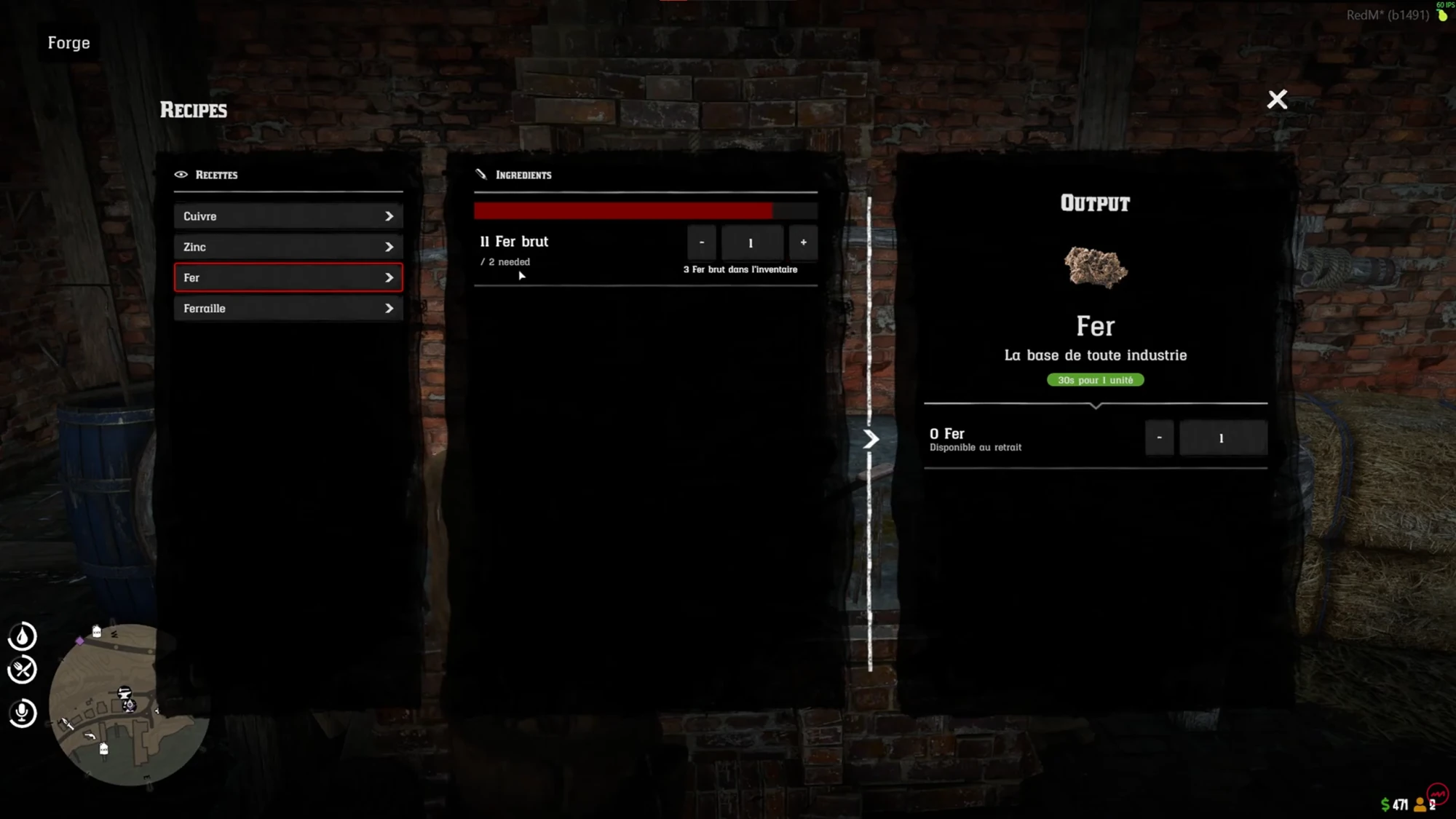
Source: storefront gallery. These images show the source presentation; interface details and displayed values may differ in your installed version. Select an image to enlarge it.
Creating New Crafting Stations
To create a new crafting station, you'll need to define its configuration in the server's crafting stations file. Here's a comprehensive guide to configuration entries:
Configuration Parameters
name: A descriptive name for the crafting station (string)cat: Crafting categories allowed at this station (array of strings)coords: Exact world coordinates of the station (vector3)radius: Interaction area around the station (number in meters)blip: Optional map marker configuration
Blip Configuration
The blip entry supports these sub-parameters:
hash: Map icon type (e.g., "blip_product_moonshine")displaydistance: Maximum distance the blip is visible (number)scale: Size of the blip icon (number)
Configuration Examples
Basic Kitchen Station
Tips for Configuration
- Ensure coordinates are precise and within the game world
- Choose appropriate categories for each station
- Use realistic radius values for player interaction
- Select blip icons that match the station's purpose
Exemple Categories
cuisinier/food: Cooking and food preparationdocteur: Medical craftingarmurier: Weapon craftingbricoleur: General repair and craftingrecyclage: Item recyclingbasic: Universal crafting category
Warning
Incorrect configuration can prevent players from using crafting stations.
Tip
Always test new crafting stations in a development environment before deploying to production.
Last updated: September 9, 2026