RedM documentation
Murphy's Craft
Crafting System
Specialisations
Craft specialisation system
Overview
Murphy's Craft allows players to unlock and progress through job-specific specializations, enhancing their crafting capabilities and gameplay experience.
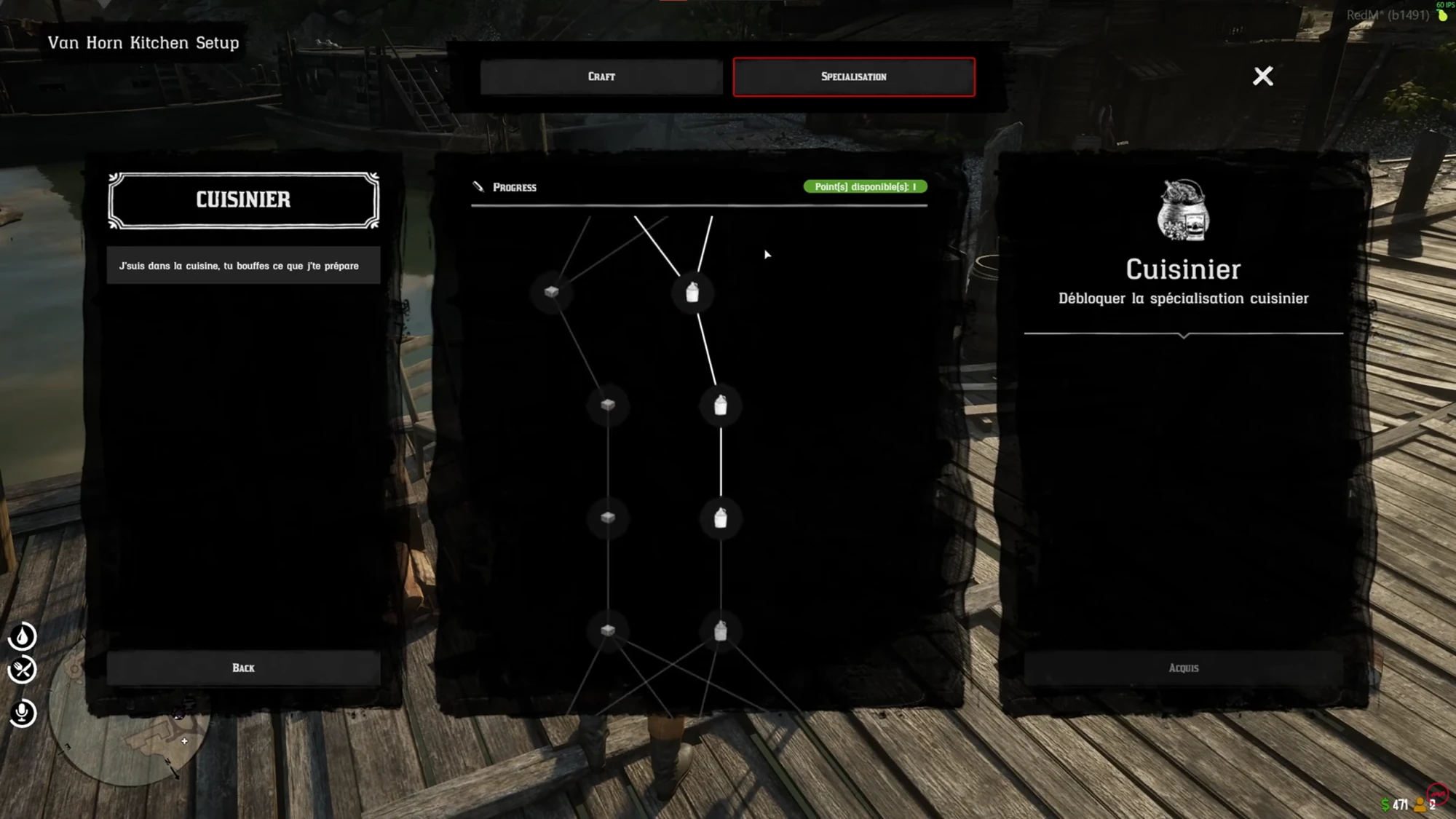
Source: storefront gallery. These images show the source presentation; interface details and displayed values may differ in your installed version. Select an image to enlarge it.
Setting Up a New Specialization
Configuration Structure
To add a new specialization, modify the configuration file (config.lua):
Key Parameters
label: Readable name of the specializationjob: Job associated with the specializationrequiredGrade: Minimum grade to unlockcraftCategories: List of accessible craft categories
Global Settings
Unlocking Workflow
- Reach the required grade in a specific job
- Select a compatible specialization
- Unlock access to specialized recipes and crafting stations
Restrictions
- Only one active specialization at a time
- Specialization tied to current job
- Limited access to specific crafting stations
Best Practices
Tip
- Verify prerequisites before unlocking a specialization
- Ensure craft categories are correctly defined
- Test configuration on a development server
Troubleshooting
Warning
- Verify job and grade requirements match player's status
- Check that craft categories are properly configured
- Confirm specialization system is enabled in config
Last updated: September 9, 2026