RedM documentation
Murphy's Clothing
Features
Shops
Clothing shop locations and interactions
Murphy's Clothing provides multiple tailoring locations across the map where players can customize their character's appearance.
Shop Locations
Clothing shops are strategically placed in major towns. Currently available locations include:
- Saint-Denis Tailor
- (More locations can be added in
config.lua)
Interaction Methods
Murphy's Clothing supports two interaction methods:
Native Prompt
- Configure with
Config.NativePrompt = true - Players can interact with shop markers directly
- Simple, quick access to clothing menu
Menu Command
- Use
/openmenucommand to open clothing interface - Configured via
Config.MenuCommand
Shop Features
Camera Modes
Two camera interaction styles are supported:
- Free Camera: Default mode, allows free movement
- Fixed Camera: Predefined camera position/angle
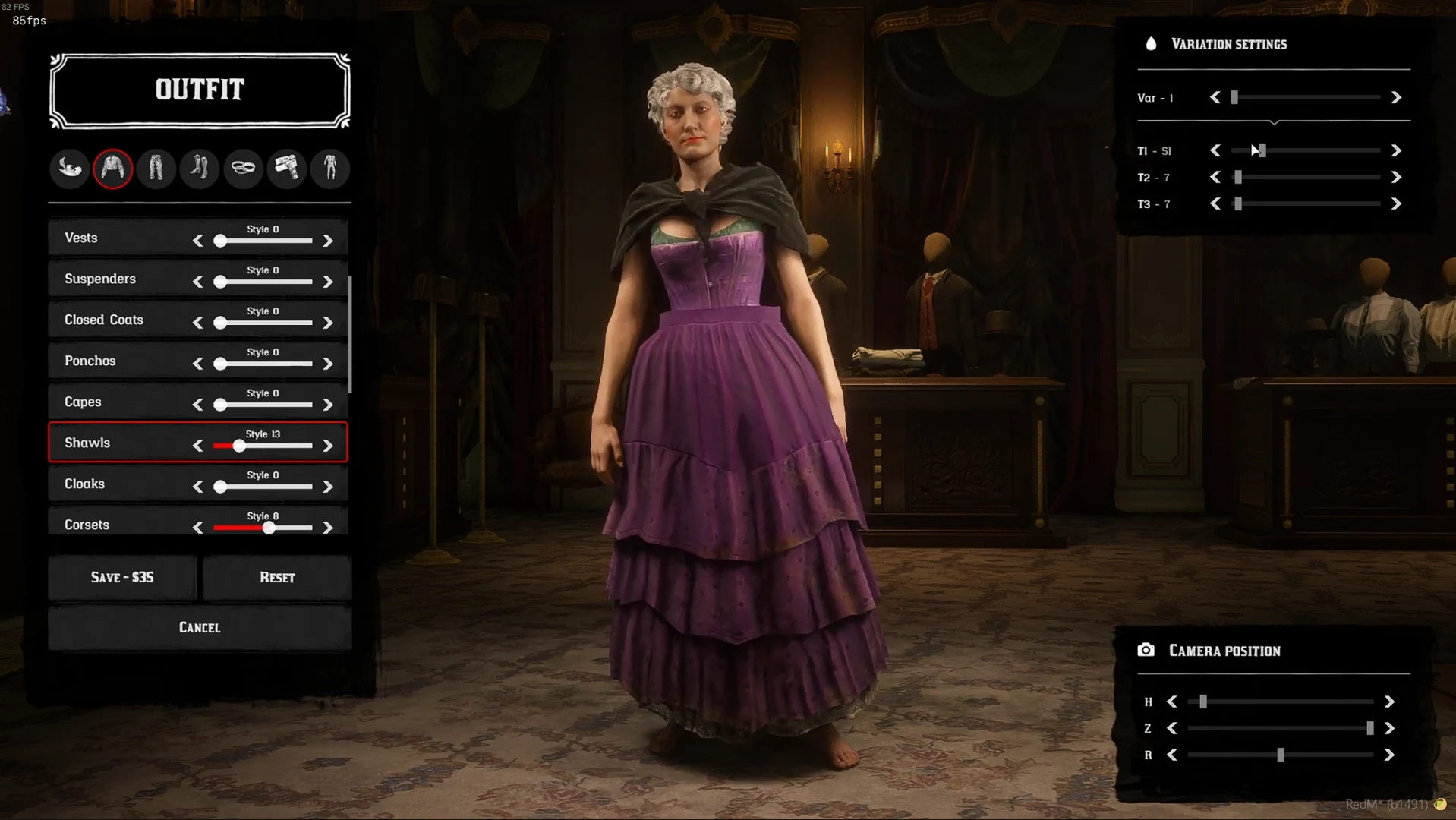
Source: storefront gallery. These images show the source presentation; interface details and displayed values may differ in your installed version. Select an image to enlarge it.
Pricing & Modifications
- Outfit modifications can be configured for full or partial pricing
- Configure with
Config.ModifyOutfitFullPrice
Special Access Controls
Job-Locked Categories
Some clothing categories are restricted to specific jobs:
- Jewelry items require jeweler job (grade 2)
- Configured in
Config.JobLocked
Temperature System
Clothing provides temperature protection:
- Warm items: Coats, gloves, boots
- Cold items: Lightweight clothing
- Neutral items: Pants, hats
Protection levels range from 0-3 based on equipped items.
Configuration
Customize the experience in config.lua:
Last updated: September 9, 2026