RedM documentation
Murphy's Job
Advanced
Stash System
Job stash mechanics and lockpicking
Overview
The Murphy's Job Stash System allows job members to store and manage items securely within their job's shared inventory.
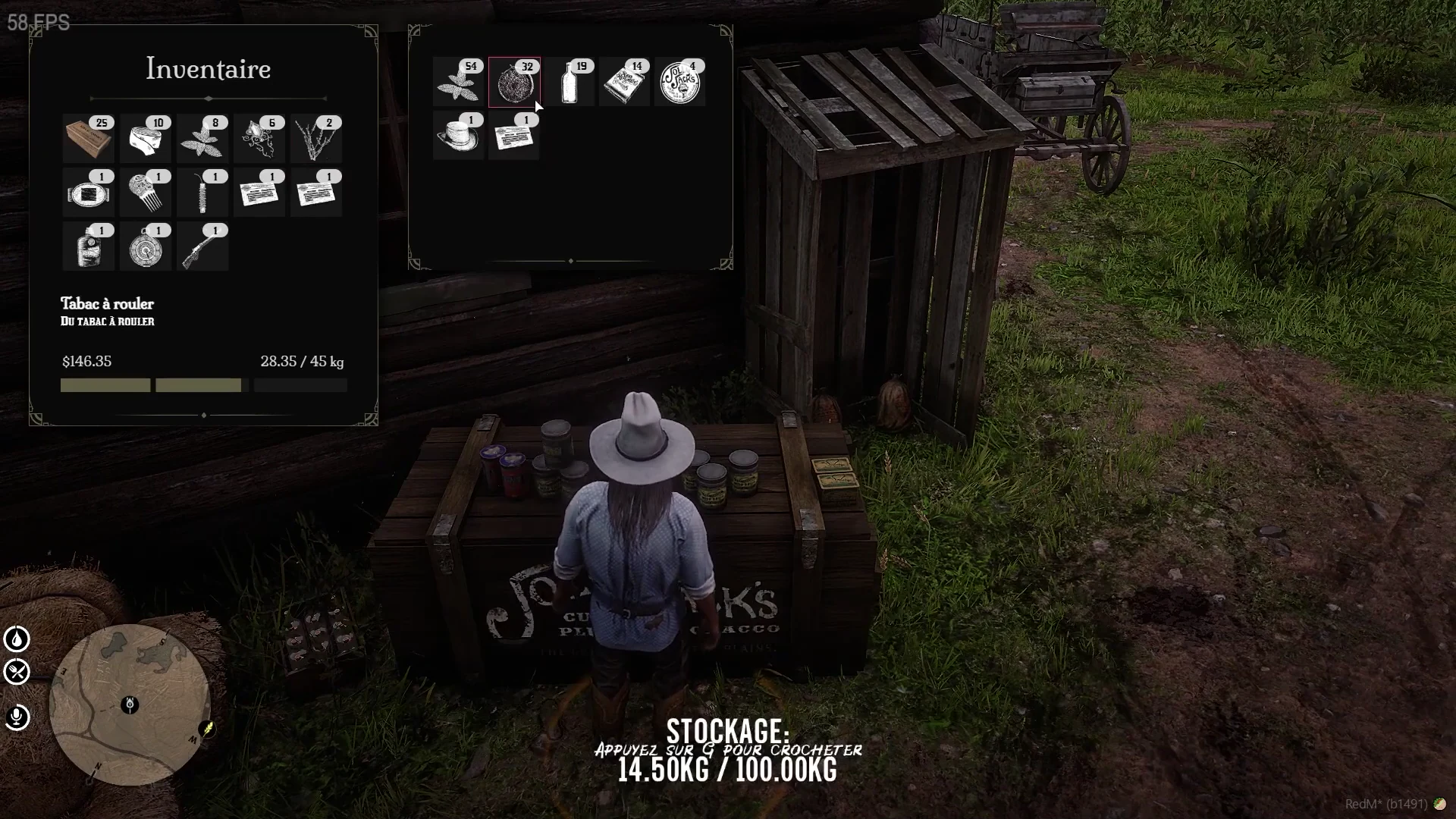
Source: storefront demonstration. These images show the source presentation; interface details and displayed values may differ in your installed version. Select an image to enlarge it.
Stash Configuration
- Total Weight Limit: Configurable via
Config.StashWeight - Default Weight: 10,000,000.0
- Configure in the
config.luafile
Lockpicking Mechanics
- Enabled/Disabled: Controlled by
Config.Lockpick - Required Item:
Config.LockpickItem(default: "lockpick") - Offline Check:
Config.LockpickCheckOfflineprevents lockpicking if job members are offline - Lockpick Duration:
Config.LockpickDelaysets how long the stash remains open after being cracked (600 seconds default)
Access Rules
- Job members have direct access to the stash
- Unauthorized players must use lockpicking to gain entry
Example Configuration
Lockpicking Process
- Obtain a lockpick item
- Approach the job stash
- Attempt to crack the lock
- If successful, gain temporary access to the stash
Important Notes
- Lockpicking is optional and can be fully disabled
- Stash access is job-specific
- Weight limit prevents over-storing items
Last updated: September 9, 2026