RedM documentation
Murphy's Job Board
Features
Job Board UI
Job Board: See actual storefront screenshots of job posters and the active-job panel, with links to configuration guides.
Browse the job board
The board presents jobs as posters. Read the title, description, and displayed reward before choosing an activity. The screenshot below shows the public demo's delivery, collection, and hunting posters.
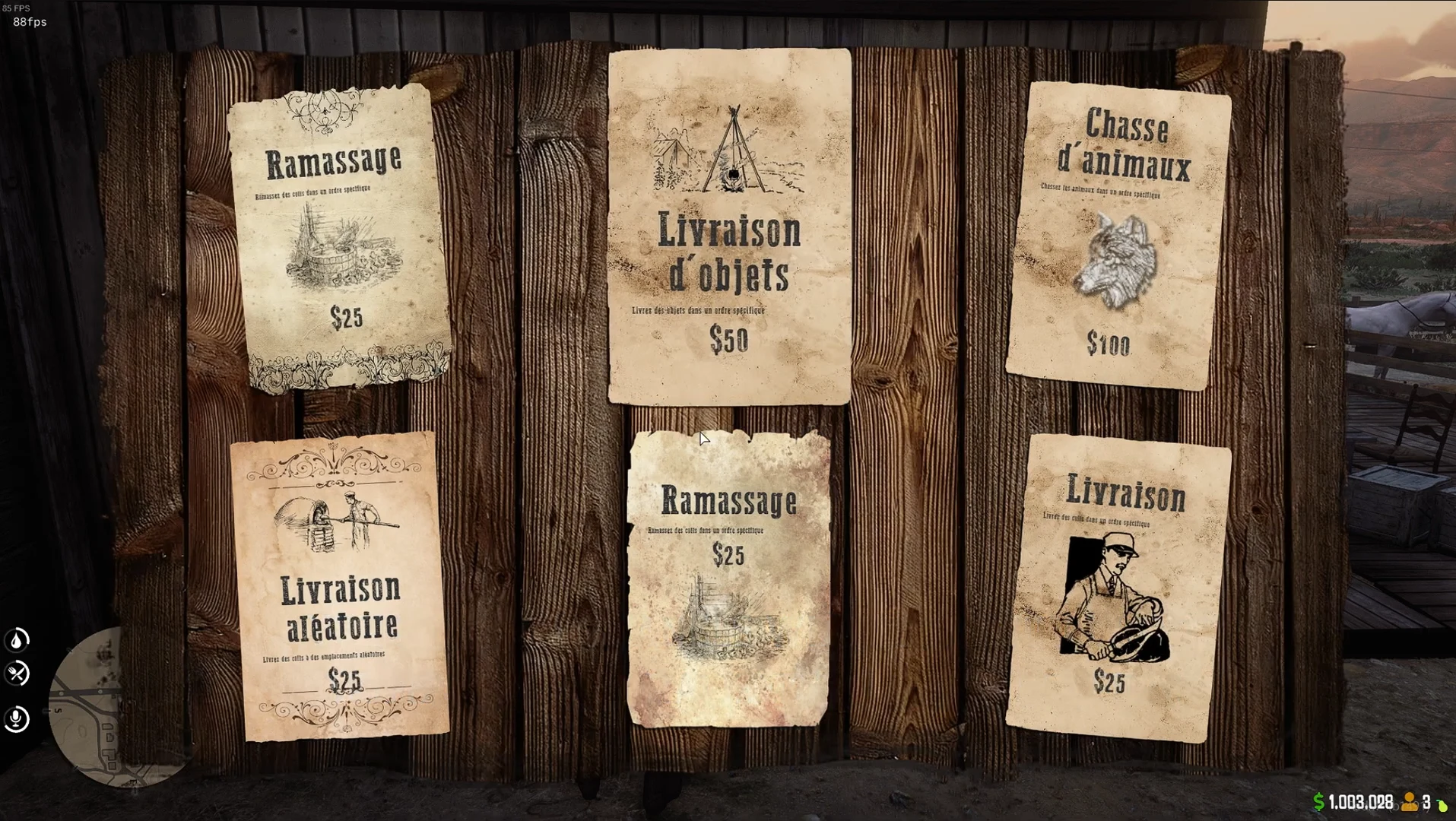
The amounts and activities in this image belong to the photographed setup. They are not fixed rewards or mandatory jobs for every server.
Follow an active job
The store's second screenshot shows an active delivery job beside the map. The panel contains the job description, current objective, displayed reward, and an abandon action.
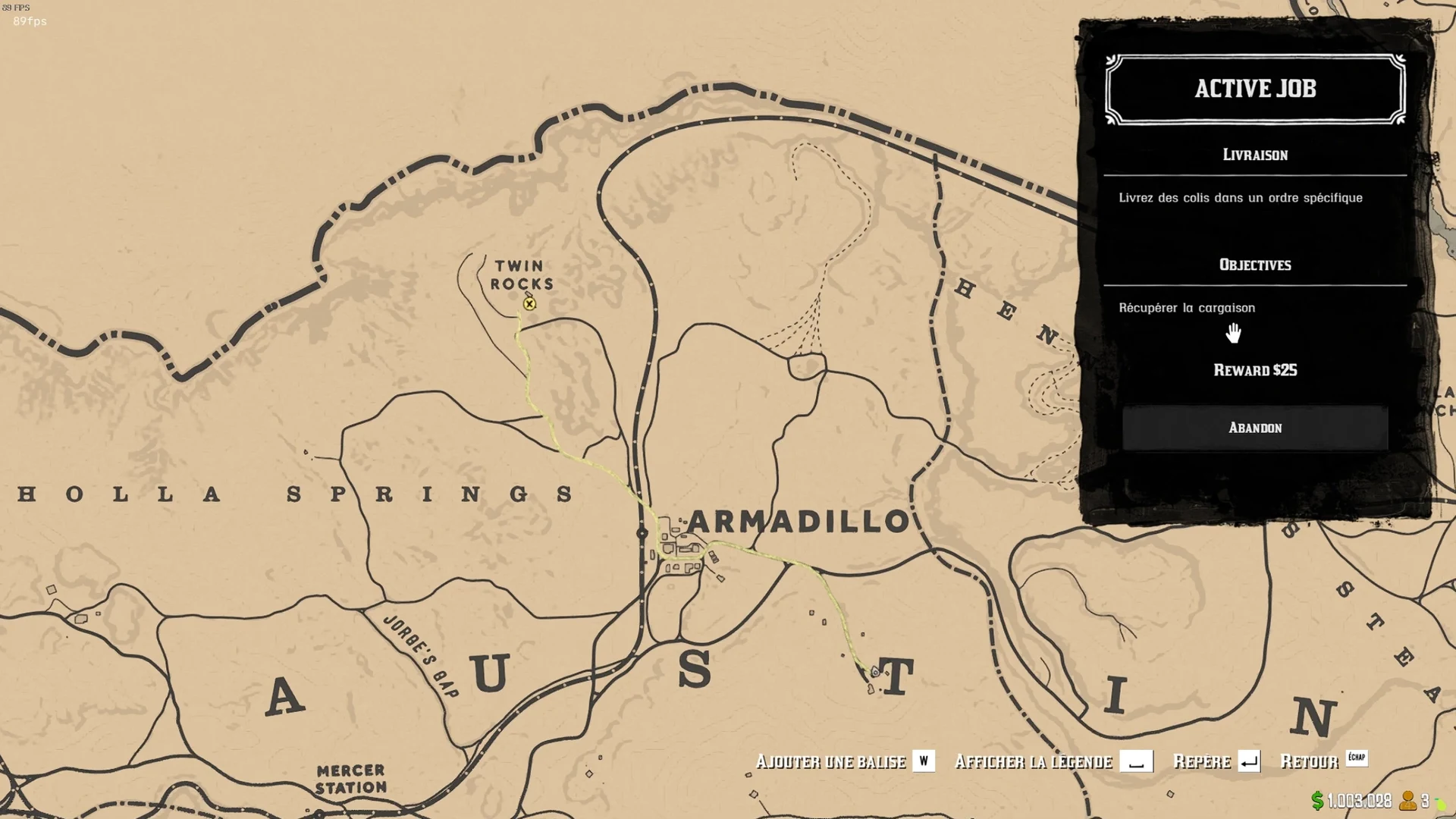
Use the displayed objective to identify the next task. Before abandoning an activity, check the behavior configured by your server; the presence of an abandon button does not establish a refund or retained progress.
Configure your own board
- Start with Create a Job - Beginner Guide.
- Use Create a Job - Advanced Guide for additional behavior.
- Use Callbacks for the existing integration contract.
The previous empty SelectJob(jobId) function was illustrative pseudocode, not an established exported API. It is not needed to browse the board and should not be copied as an integration.
Screenshot source
Both images are existing screenshots from the Job Board product gallery. The gallery does not identify their plugin version or framework. No assumption is made here about difficulty levels, character-level recommendations, XP, reputation rewards, or reconnection persistence based on those images.
Last updated: September 9, 2026