RedM documentation
Murphy Lockpick
Getting Started
Overview
Overview for Murphy Lockpick.
Pick the lock before time runs out
The new Murphy Lockpick used with Housing displays a padlock and movable pick. Move the mouse to find the right angle, then press Space to attempt the lock. Clear every stage before the timer or your remaining attempts run out.
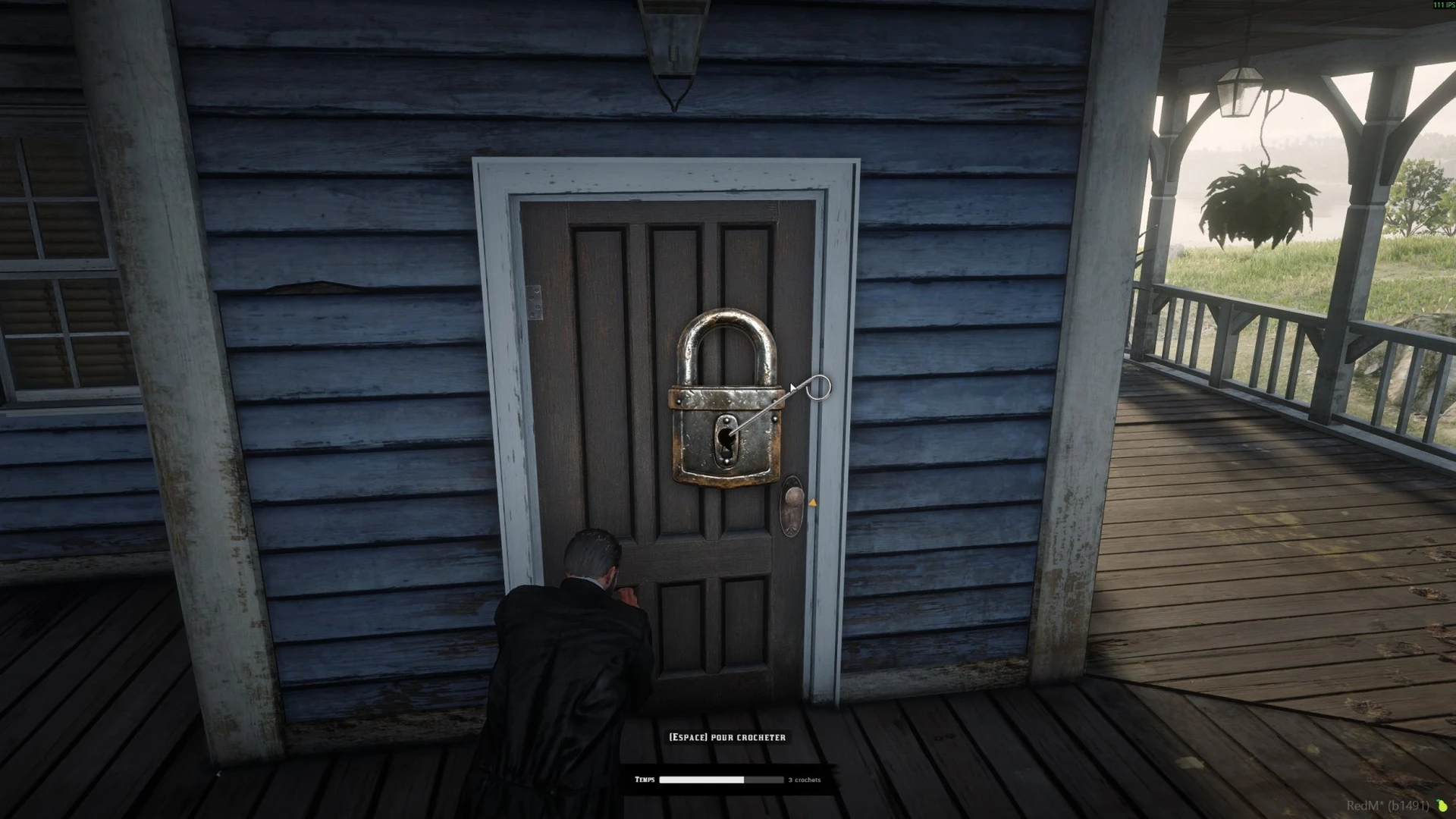
Lockpicking shown in Housing's existing gameplay gallery. Housing supplies the door interaction; Lockpick supplies the minigame.
Make different locks feel different
Six difficulty presets range from trivial to master. You can adjust the available time, allowed mistakes, number of stages and whether the correct angle is indicated. Harder presets hide the marker and use sound, a tension bar or both to help the player find it.
The resource can also play a character animation and check for a lockpick item through its inventory adapter. The gameplay script decides which target can be picked and what a successful result does.
Get started
This guide follows the new padlock interface used with Housing. Its configuration is in config/config.lua and its prebuilt interface is in ui/build/.
See Installation and Housing to identify your files and connect the resource. Use Difficulty and Common Questions to tune the minigame.
Last updated: September 15, 2026